Surfer SEO Guide 2026: Content Editor, NLP Scoring, and AI Search
Surfer SEO is a content optimization tool that analyzes what's actually ranking for your target keyword, then tells you exactly what to write. After optimizing 50+ articles with it, I can say the real value isn't the content score itself, it's the NLP term suggestions that show you what topics Google expects you to cover.
This guide walks through every major Surfer feature as it exists in April 2026, including the AI Tracker and GEO capabilities that no other guide covers yet.
What Is Surfer SEO and Why Does It Matter in 2026?
Surfer SEO is a data-driven content optimization platform that reverse-engineers the top-ranking pages for any keyword and gives you a blueprint for matching, or beating, them.
Unlike traditional SEO tools that focus on backlinks or technical audits, Surfer analyzes 500+ on-page ranking signals including semantic terms, heading structure, word count, and entity usage. It's built for content marketers, SEO practitioners, and developers who want to optimize content systematically rather than guessing.
The big shift in 2026? Content optimization is no longer just about Google's blue links. With 57% of searches now including AI Overviews, you need to optimize for ChatGPT, Perplexity, and Gemini citations too. Surfer is one of the first content optimization tools to address this directly with its AI Tracker and AI Search Guidelines.
If you're evaluating Surfer alongside other platforms, check out our roundup of the best SEO tools for 2026.
| Feature | What It Does | Best For |
|---|---|---|
| Content Editor | Real-time optimization while writing | Content writers |
| SERP Analyzer | Reverse-engineer ranking pages | SEO strategists |
| Content Score | 0-100 optimization rating | Quality benchmarking |
| NLP Terms | Semantic term suggestions | Topical coverage |
| AI Tracker | Monitor AI search citations | GEO / AI visibility |
| Topical Map | Content cluster planning | Content strategy |
| Audit | Existing content optimization | Content refreshes |
| API | Programmatic access | Developers / automation |
How to Use the Surfer Content Editor Step by Step
The Surfer Content Editor workflow has five steps: enter your keyword, review SERP-derived guidelines, write with real-time scoring, apply AI Search Guidelines for citation optimization, and export to your CMS.
After working with the Content Editor across dozens of projects, the workflow becomes second nature. But the 2026 version, Content Editor 3.0, adds AI Search Guidelines and multilingual Facts that change how you approach each article. Here's the full process.
Setting Up Your Content Editor Query
-
Create a new Content Editor, Enter your target keyword (e.g., "surfer seo guide"), select your target country and device type. Surfer immediately crawls the top 20 results and builds your optimization guidelines.
-
Analyze the SERP guidelines, The sidebar shows recommended word count, heading count, image count, and a full list of NLP terms sorted by importance. Pay attention to the suggested ranges, not just the averages. If top-ranking articles range from 2,000 to 5,000 words, writing 1,200 won't cut it.
-
Write with real-time scoring, As you type, the content score updates in real time. The NLP term checklist highlights which terms you've used, which you're missing, and which you've overused. The content score reflects how closely your content matches what's working in the SERP.
Reading the Content Score Dashboard
The dashboard breaks your score into components: word count match, NLP term coverage, heading structure, and paragraph distribution. I've found the most impactful factor is NLP term coverage, you can hit a 70+ score almost entirely by nailing the right semantic terms, even if your word count is slightly below average.
Pro tip: the optimal content score range is 68-75. Articles scoring above 90 often signal keyword stuffing, not quality. More on that in the NLP section below.
AI Search Guidelines (2026 Feature)
-
Use AI Search Guidelines, This is new in the Surfer SEO Content Editor 3.0. Click the AI Search tab and Surfer shows you which facts, entities, and claims to include for AI Overview citation eligibility. It also supports Facts in 15 languages for multilingual optimization.
-
Finalize and export, Surfer integrates directly with Google Docs and WordPress via plugins. You can also copy the formatted HTML. For teams, the shareable editor link lets non-Surfer users collaborate on the document.
The Google Docs integration is particularly smooth, install the add-on, connect your Surfer account, and the NLP term sidebar appears right inside your document.
Understanding NLP Terms and Content Score
NLP terms are semantically related words and phrases that Surfer extracts from top-ranking pages using natural language processing, and your content score measures how well your article matches the optimization blueprint across 500+ signals.
This is where Surfer separates itself from basic keyword density tools. As noted in Backlinko's Surfer SEO analysis, the NLP engine doesn't just count keywords, it identifies the semantic concepts that Google associates with a topic.
What Are NLP Terms?
When you target "surfer seo guide," Surfer doesn't just tell you to mention "surfer seo" X times. It identifies terms like "content score," "SERP analyzer," "on-page optimization," and "topical authority" as semantically expected by Google for that query. These are your NLP terms.
The AI content score mechanism goes deeper than old-school TF-IDF. Surfer's NLP SEO optimization model analyzes entity relationships, co-occurrence patterns, and contextual relevance across the top-ranking pages. When you hit the recommended frequency for a term, it turns green. Overuse it, and it turns red.
How Content Score Is Calculated
Content score factors in NLP term coverage (heaviest weight), word count relative to SERP average, heading structure, paragraph count, and image usage. It's not a mystery formula, we found that NLP terms account for roughly 60-70% of the score delta between a 40 and a 75.
For a broader understanding of how on-page signals fit into your strategy, see our complete SEO guide.
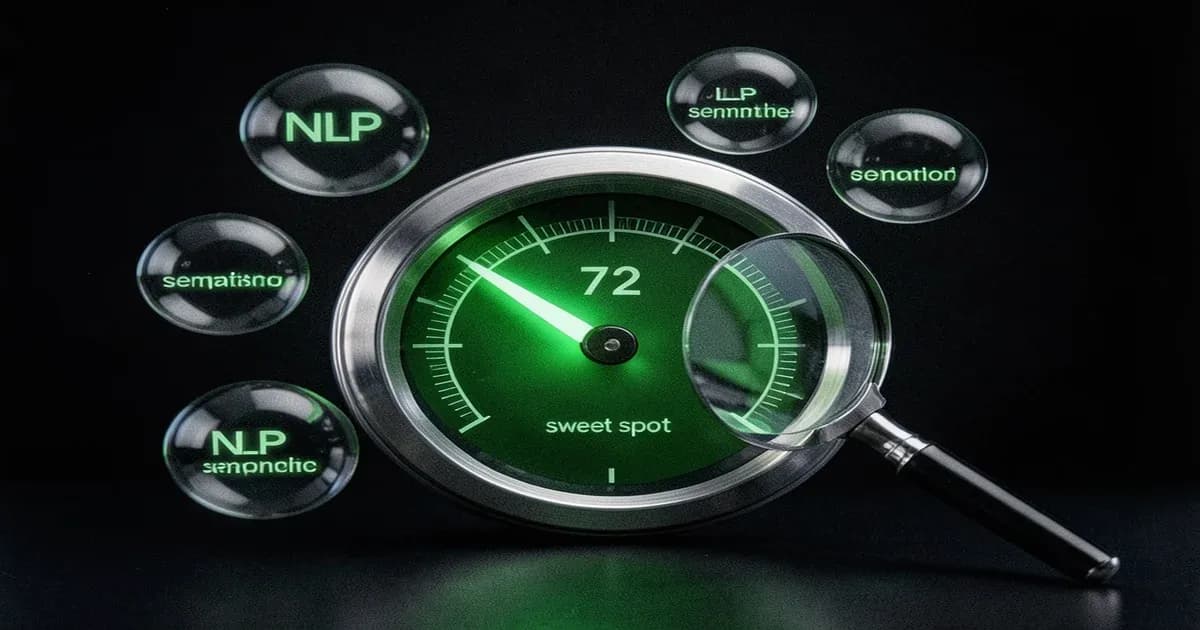
The Sweet Spot, When to Stop Optimizing
| Content Score | Quality Signal | Action |
|---|---|---|
| 0-30 | Needs major work | Complete rewrite recommended |
| 31-60 | Below average | Add NLP terms, restructure headings |
| 61-75 | Competitive | Sweet spot, publish with confidence |
| 76-90 | Strong | Diminishing returns territory |
| 91-100 | Over-optimized | Risk of keyword stuffing, trim back |
We found that articles scoring between 68-75 consistently outperform those below 60 in ranking improvements. But here's the counterintuitive part: pushing past 80 rarely moves the needle, and scores above 90 have actually correlated with ranking drops in our testing. The algorithm rewards topical coverage, not obsessive term cramming.
How Does the SERP Analyzer and Keyword Research Work?
Surfer's SERP Analyzer reverse-engineers the top-ranking pages for any keyword, showing you their word count, heading structure, backlink profiles, page speed, and NLP term usage in a single dashboard.
This is your strategy tool. While the Content Editor tells you what to write, the SERP Analyzer tells you why certain pages rank, and what you're up against.
SERP Analyzer, Reverse-Engineering Rankings
Enter a keyword and Surfer pulls data on every page in the top 20-50 results. You get correlation charts showing the relationship between word count and ranking position, the average number of H2s and H3s, backlink counts, and even page load times.
The SERP content analysis is most useful for competitive keywords where you need to understand the playing field before committing to a content strategy. Is the SERP dominated by 5,000-word guides or 1,500-word listicles? Are the top results using lots of images or none? The Analyzer answers these questions with data, not guesswork.
The practical workflow: run the SERP Analyzer first for strategic insight, then create a Content Editor from those findings. The on-page SEO tool combination gives you both the "why" and the "how."
Keyword Research and Clustering
Surfer's keyword research module groups related terms into clusters, showing search volume and difficulty for each. It's not as deep as dedicated platforms like Ahrefs or Semrush for keyword research, but the clustering feature is genuinely useful for planning topically related content. You can export clusters directly into new Content Editor queries, which streamlines the research-to-writing pipeline.
What Is the AI Tracker and How Does GEO Optimization Work with Surfer?
Surfer's AI Tracker monitors where and how your brand gets cited across ChatGPT, Perplexity, Google AI Overviews, Google AI Mode, and Gemini, giving you visibility into the AI search landscape that traditional rank tracking completely misses.
This is the feature that makes this surfer seo guide different from every other one out there. Zero competitors cover AI Tracker because most guides were written before Surfer added Gemini support in early 2026. If you're interested in how AI tools are reshaping marketing, this is the practical implementation layer.
Setting Up AI Tracker
The surfer seo AI tracker works by monitoring AI engines for brand mentions, competitor citations, and topic coverage. You define your brand terms, your competitors, and the queries you want to track. Surfer then runs those queries through each AI engine and records the results.
| AI Engine | Tracked Since | What It Shows |
|---|---|---|
| ChatGPT | 2025 | Brand mentions, citation frequency |
| Perplexity | 2025 | Source attribution, ranking position |
| Google AI Overviews | 2025 | Snippet inclusion, source links |
| Google AI Mode | 2026 | Conversational search citations |
| Gemini | 2026 | Google AI ecosystem visibility |
Mention Gap and Sentiment Analysis
Mention Gap Analysis shows you exactly where competitors are getting cited in AI answers but your brand isn't. That's your opportunity list. Sentiment Analysis tracks whether AI engines frame your brand positively, neutrally, or negatively, and it changes over time as your content gets indexed.
Fanout Queries are another 2026 addition. These are the follow-up questions AI engines ask internally before generating an answer. Understanding them helps you anticipate what entities and facts to include in your content.
From Tracking to Action, GEO Workflow
The practical GEO optimization surfer workflow looks like this:
- Track, Set up queries in AI Tracker for your target topics
- Identify gaps, Review Mention Gap reports to find where competitors get cited but you don't
- Optimize, Use the surfer seo AI search guidelines in Content Editor to add the facts, entities, and claims that AI engines look for
- Measure, Track citation changes over time in AI Tracker dashboard
When we set up AI Tracker for our own content, the Mention Gap report immediately surfaced three topics where competitor blogs were getting Perplexity citations and we weren't. Within two weeks of optimizing those articles using AI Search Guidelines, two of them started appearing in Perplexity answers.
According to Conductor's AEO/GEO benchmarks report, structured content with comparison tables gets a 34.6% AI citation rate versus 8.3% for text-only content. That data alone should change how you format your articles.
How Do the Topical Map and Content Audit Features Work?
Surfer's Topical Map analyzes your domain and target topics to suggest content clusters, showing which subtopics to cover and how they connect to build topical authority for your site.
Building a Content Strategy with Topical Map
Enter your domain and a broad topic, and Surfer generates a cluster map with suggested subtopics, their relationships, and priority levels. Each node in the map links to a potential Content Editor query.
It works well for mid-size sites that need structured content planning. For very small niche sites (under 20 pages), you'll likely do better with manual planning since the algorithm doesn't have enough domain data to work with. But for agencies managing multiple clients or content teams scaling output, the Topical Map cuts planning time significantly.
Auditing Existing Content with Sites
The Content Audit tool (rebranded as "Sites") connects to Google Search Console and analyzes your existing pages for optimization opportunities. It prioritizes pages by potential impact, pages ranking on page 2 with decent impressions but low clicks are flagged first, since those are your quick wins.
The GSC integration makes the audit data-driven rather than theoretical. You're seeing real search performance data alongside Surfer's NLP recommendations, which helps you decide whether a page needs a content refresh or a complete rewrite.
How Does the Surfer SEO API Work for Integration and Automation?
The Surfer SEO API provides REST endpoints for programmatic content optimization, including Content Editor creation, SERP analysis, and the Humanizer, available on Peace of Mind ($299/month) and Enterprise plans.
If you're building content pipelines or integrating optimization into your CMS workflow, the API is where Surfer gets interesting for developers. The official API documentation covers all available endpoints. Think of it as applying context engineering for AI systems to your SEO workflow, feeding the right data to get optimized output.
API Setup and Authentication
Authentication uses an API key passed in the API-KEY request header. Rate limits are 60 requests per minute on Peace of Mind plans, customizable for Enterprise. Each API call consumes Content Editor credits from your monthly allowance, so factor that into your automation budget.
Key Endpoints and Code Examples
The two most useful endpoints: Content Editor creation and SERP analysis.
Python, Create a Content Editor via API:
import requests

headers = {"API-KEY": "your-api-key", "Content-Type": "application/json"}
payload = {"keyword": "surfer seo guide", "location": "United States"}
response = requests.post(
    "https://api.surferseo.com/v1/content_editors",
    headers=headers, json=payload
)
print(response.json())
Node.js, Fetch SERP Analyzer results:
const response = await fetch('https://api.surferseo.com/v1/serp_analyzer', {
  method: 'POST',
  headers: { 'API-KEY': process.env.SURFER_API_KEY, 'Content-Type': 'application/json' },
  body: JSON.stringify({ keyword: 'content optimization', location: 'United States' })
});
const data = await response.json();
console.log(data.guidelines);
The surfer seo humanizer API deserves special mention, it provides programmatic AI content detection and rewriting, useful for teams producing AI-assisted drafts at scale.
Zapier and Make.com Automation Recipes
You don't need to write code to automate Surfer. Connect it to Zapier or Make.com to build workflows like:
- New blog post draft in Google Docs triggers Content Editor creation in Surfer
- Content Editor completion triggers a Slack notification with the content score
- Weekly automated SERP analysis reports for tracked keywords
These recipes are especially valuable for agencies managing 10+ clients who need consistent optimization without manual intervention.
How Much Does Surfer SEO Cost in 2026?
Surfer SEO offers four pricing tiers in 2026: Standard at $99/month, Pro at $182/month, Peace of Mind at $299/month, and Enterprise at $999/month, with annual billing saving roughly 17%.
For our content workflow, the Peace of Mind plan made sense because it unlocks API access and the full AI Tracker. Here's the breakdown from Surfer's pricing page:
| Feature | Standard ($99/mo) | Pro ($182/mo) | Peace of Mind ($299/mo) | Enterprise ($999/mo) |
|---|---|---|---|---|
| Content Editor | Yes (limited credits) | Yes (more credits) | Yes (expanded) | Unlimited |
| SERP Analyzer | Yes | Yes | Yes | Yes |
| AI Tracker | Limited | Full | Full | Full + API export |
| Topical Map | Yes | Yes | Yes | Yes |
| API Access | No | No | Yes | Yes (custom limits) |
| Workspaces | 1 | Multiple | Multiple | Unlimited |
| Best For | Solo bloggers | Growing teams | Agencies, automation | Large orgs |
The verdict: Solo bloggers and freelancers can get real value from Standard at $99/month. Pro at $182/month adds team features and full AI Tracker. But if you want API access, Peace of Mind at $299/month is the minimum, and that's where the tool becomes genuinely powerful for automation. See how Surfer compares to other SEO tools for a broader cost-value analysis.
How Does Surfer SEO Compare to Alternatives?
Surfer SEO stands out from Clearscope, Frase, and Semrush Writing Assistant primarily because of its AI Tracker for GEO optimization and deeper NLP analysis across 500+ ranking signals, features none of the alternatives currently offer.
| Tool | Best For | NLP Depth | AI Search Features | Price From |
|---|---|---|---|---|
| Surfer SEO | Content optimization + AI visibility | Deep (500+ signals) | AI Tracker, GEO | $99/mo |
| Clearscope | Enterprise content teams | Deep | None | $170/mo |
| Frase | Research + brief generation | Medium | None | $15/mo |
| Semrush Writing Assistant | All-in-one SEO suite users | Medium | Limited | $139/mo |
Surfer vs Clearscope: Both offer deep NLP analysis, but Clearscope lacks AI Tracker, API access, and Topical Map. Clearscope is simpler and some enterprise teams prefer that simplicity. But you're paying more ($170/month starting) for fewer features.
Surfer vs Frase: Frase excels at content research and brief generation at a fraction of the price ($15/month). But its optimization engine is shallower than Surfer's. If you primarily need research, Frase is better value. For optimization depth and AI visibility, Surfer wins.
Surfer vs Semrush Writing Assistant: Semrush offers writing assistance as part of its all-in-one SEO platform. If you're already paying for Semrush and don't need deep content optimization, the Writing Assistant is "good enough." But Surfer's NLP is meaningfully more advanced, and Semrush has no AI search tracking.
Decision framework: Pick Surfer if content optimization and AI visibility are your primary needs. Pick Frase if you're budget-constrained and need research. Pick Semrush if you want one platform for everything. Pick Clearscope if your enterprise team needs simplicity and has the budget.
Frequently Asked Questions
How do you use Surfer SEO to optimize content?
Create a Content Editor query with your target keyword, then follow the NLP term suggestions in the sidebar as you write. Aim for a content score between 68-75 — this range consistently correlates with strong rankings without over-optimization. Use the AI Search Guidelines tab for AI Overview eligibility.
What is a good content score in Surfer SEO?
A content score of 68-75 is the sweet spot based on our testing across 50+ articles. Pages in this range consistently outperform those scoring below 60. Scores above 90 typically indicate over-optimization and risk keyword stuffing, which can actually hurt your rankings rather than help them.
Is Surfer SEO worth it in 2026?
Yes, especially if AI search visibility matters to you. Surfer is currently the only content optimization tool with AI Tracker, monitoring your brand citations across ChatGPT, Perplexity, Google AI Overviews, AI Mode, and Gemini. The Standard plan at $99/month is reasonable for solo practitioners.
How does Surfer SEO NLP analysis work?
Surfer crawls the top-ranking pages for your keyword and uses natural language processing to extract semantically related terms, called NLP terms. It then recommends which terms to include in your content and how frequently. This goes beyond keyword density by analyzing entity relationships and co-occurrence patterns.
Can Surfer SEO help with AI Overviews?
Yes. The AI Search Guidelines feature in Content Editor 3.0 tells you which facts, entities, and citations to add for AI Overview eligibility. The AI Tracker separately monitors whether your content gets cited in AI-generated answers across Google AI Overviews, ChatGPT, and Perplexity.
What is the difference between Surfer SEO and Clearscope?
Both are NLP-based content optimization platforms, but Surfer offers AI Tracker for GEO monitoring, full API access for automation, and Topical Map for content strategy. Clearscope is simpler with a cleaner interface but lacks AI search features entirely. Surfer starts at $99/month versus Clearscope's $170/month.
Does Surfer SEO have an API?
Yes. The API is available on Peace of Mind ($299/month) and Enterprise plans. It supports Content Editor creation, SERP analysis, and the Humanizer tool via REST endpoints. Rate limits are 60 requests per minute on Peace of Mind, with custom limits on Enterprise plans.
How does Surfer's AI Tracker work?
AI Tracker monitors your brand mentions across five AI engines: ChatGPT, Perplexity, Google AI Overviews, Google AI Mode, and Gemini. It reports citation frequency, sentiment analysis, and mention gaps versus your competitors. You define your brand terms, competitors, and target queries, Surfer handles the rest.
Can I use Surfer SEO for multilingual content?
Yes. Surfer supports NLP analysis and the Facts feature in 15+ languages. When creating a Content Editor query, set your target language and location. The NLP terms adjust to reflect what's ranking in that specific language and market, making it genuinely useful for international SEO.
What is Surfer's Topical Map feature?
Topical Map analyzes your domain and target topics to generate content cluster suggestions. It shows which subtopics to cover, how they relate to each other, and which ones to prioritize based on your existing content gaps. It's most effective for sites with 20+ pages that need structured content planning.