AI Integration
AI Integration
They should start with a problem. We figure out where AI actually helps your business and where a simple script would work better. Then we build the right one.
AI inside the product, not on top of it.
AI integration is only worth the lift when it changes how people use the product. Three things we measure on every engagement.
Time-to-answer falls below 8 seconds
Retrieval + reasoning grounded in your data. Customers find the answer faster than they could ask a human, every time, on every channel.
Hallucination rate below 2%
Every output is graded against a fixed evaluation harness before it ships. Hallucinations are caught, scored, and treated as bugs.
Marketing automation, not just chat
AI agents drafting outreach, summarising calls, qualifying leads. The chat interface is one surface; the back-office automations are where the savings show.
Your data flows through intelligence layers
We don't bolt AI onto your systems. We wire it into your data pipeline so it learns from everything your business already knows.
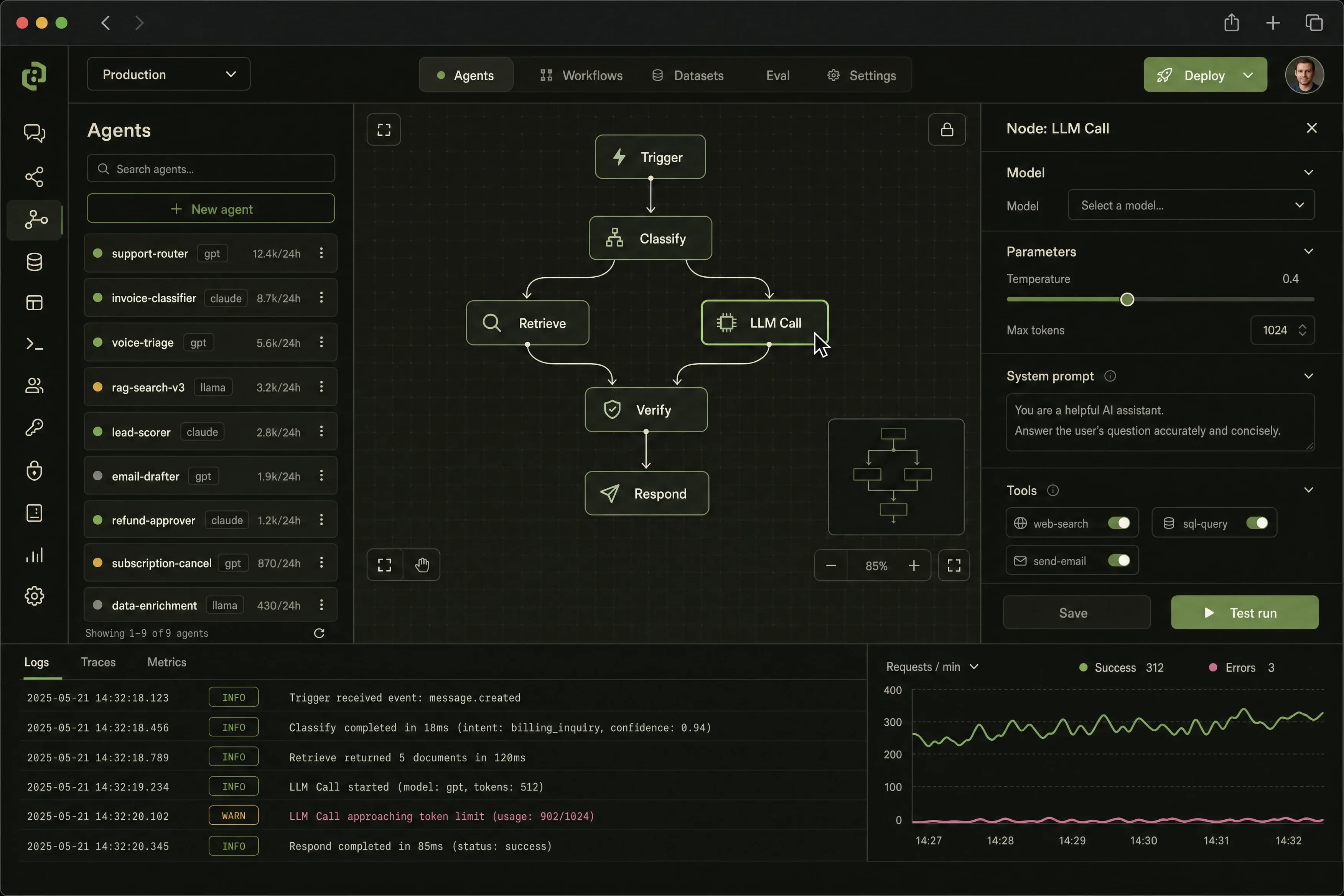
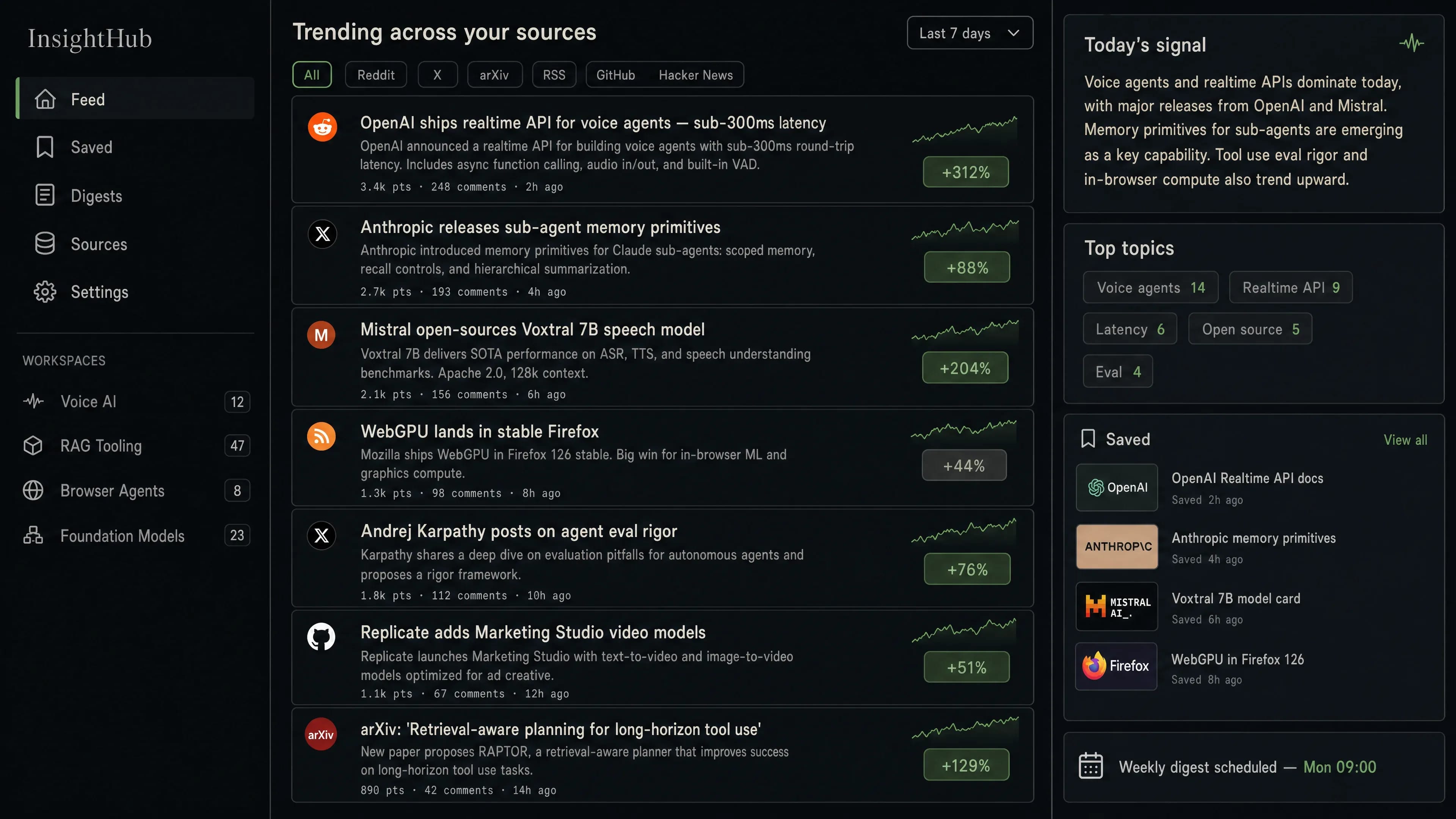
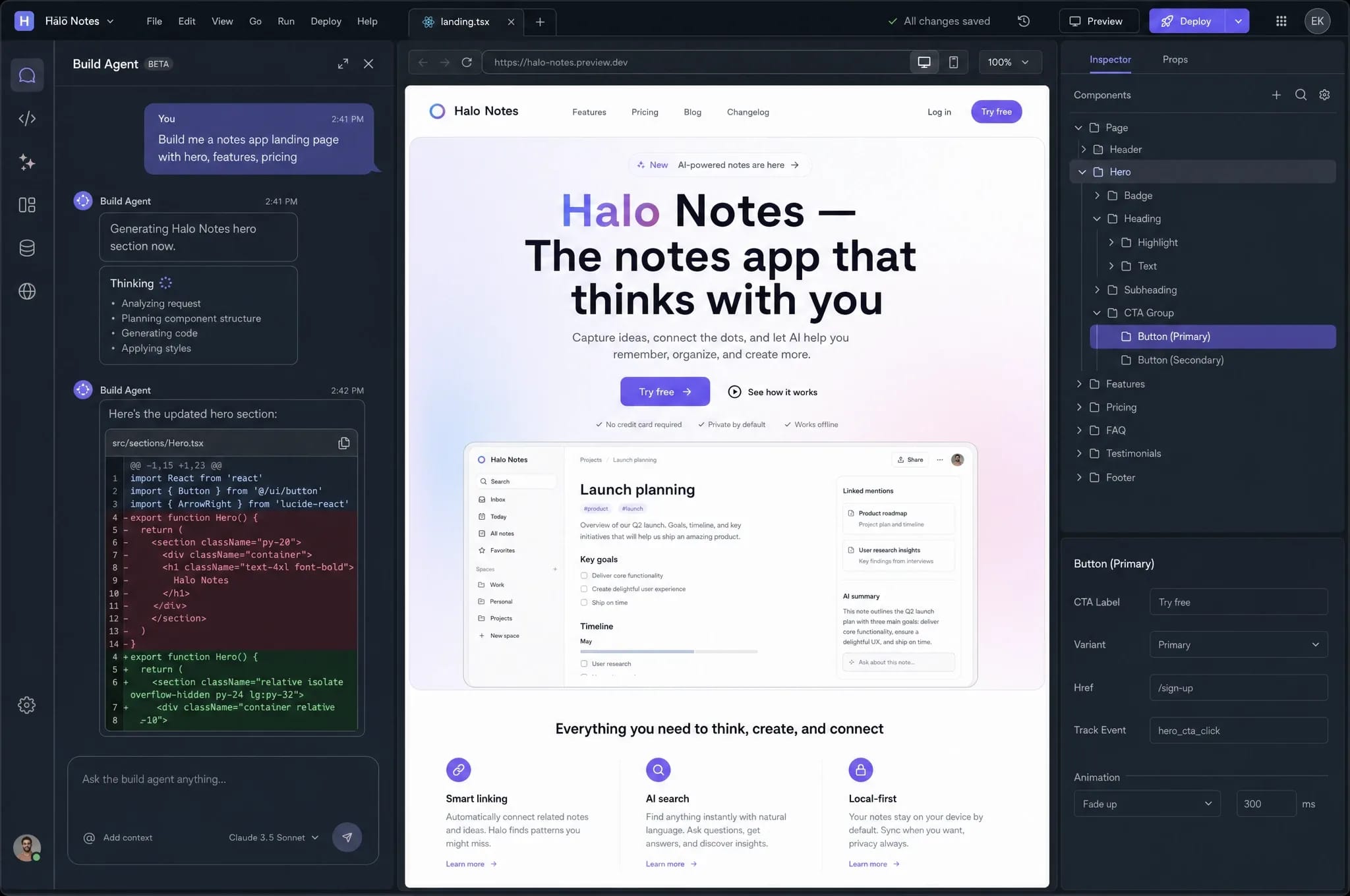
What it actually looks like
A glance at the surface customers and operators work in every day; no marketing screenshots, no fake data.
AI shipped into production; not demos.
Each project below has a real evaluation harness, a real cost ceiling, and real users running queries against it every day.

When to use AI and when to skip it
Not every problem needs a neural network. Here is how we evaluate whether AI is the right tool for a real client project.
Build a custom model or use a pre-trained one?
Why
The client had 800 labeled examples. Not enough to train from scratch, but enough to fine-tune a base model. Fine-tuning gave us 89% accuracy in 3 weeks instead of 6 months of data collection.
Alternatives Considered
Training from scratch would give more control but requires 10x more data. For this use case, fine-tuning hit the accuracy target at a fraction of the cost.
Cloud inference or on-premise?
Why
The client processes 500 documents per day. Cloud costs about EUR 200/month at that volume. Running on-premise hardware would cost EUR 40K upfront plus maintenance. The math was obvious.
Alternatives Considered
On-premise makes sense when you process 50,000+ documents/day or have strict data residency rules. This client had neither constraint.
Real-time or batch processing?
Why
The client does not need instant classification. Emails are sorted at 8am and 2pm. Batch processing is 70% cheaper than real-time inference and gives us time to validate results before routing.
Alternatives Considered
Real-time processing is essential for customer-facing chat or live support routing. For internal document processing, batch is almost always the better choice.
Should we automate the edge cases too?
Why
The model handles 87% of cases with high confidence. The remaining 13% are ambiguous. Trying to automate those would require 3x more training data and would still get some wrong. It is cheaper and more accurate to let a person handle the exceptions.
Alternatives Considered
If the volume of edge cases is very high (thousands per day), investing in a specialized model for edge cases can make sense. For this client, it was 26 cases per day. Human review is fine.
A working AI surface, an evaluation harness, and the team trained to evolve it.
AI projects fail when the model changes and nobody noticed. We ship a system you can grade; and a team that knows when to re-grade it.
- Retrieval + reasoning pipeline wired into your data sources
- Evaluation harness with at least 50 graded test cases per surface
- Cost dashboard with per-model, per-customer breakdown
- Fall-back routing (small model → big model) on cost ceiling
- Prompt registry with version control and rollback
- Two-week training sprint for your team on prompt + retrieval iteration
Upload a document and watch AI extract the data
Drop in a sample invoice or contract. Watch the model identify fields, extract values, and assign a confidence score. No login required.
What AI actually delivers
Accuracy on first deployment
Speed improvement in data processing
Reduction in manual classification
Average time to first production model
Three shapes for an AI engagement.
AI work is iterative; we sign in two-week sprints, not 12-month contracts. The matrix sets the total ceiling per shape.
One AI surface, fully graded
Ships in 4 weeks
- Single AI surface (chatbot, search, classifier, etc.)
- Retrieval pipeline + 50-case evaluation harness
- Cost dashboard + alerting
- One model fall-back tier
- Multi-tenant deployment
- Custom fine-tuning
Production AI integration
Ships in 8 weeks
- Up to 3 coordinated AI surfaces (chat + agent + classifier)
- 150+ case evaluation harness with regression CI
- Tool calling into your existing CRM / DB / APIs
- Multi-model fall-back with cost ceilings per tier
- Prompt registry + version control
- Quarterly retainer for prompt evolution
Multi-product AI platform
Quarter-scale engagement
- Unlimited surfaces + tool integrations
- Custom fine-tuning + RLHF where it adds value
- Multi-tenant deployment with per-customer eval
- Embedded ML engineer (full-time)
- Quarterly drift + bias audit
- Code escrow + exit clause
Excludes model API spend (OpenAI, Anthropic, Google). We route through your accounts so cost stays transparent. Cloud + vector DB pass-through extra.
Bolt one on top of any tier.
AI engagements pair well with growth-side automation. These four attach cleanly.
How an accounting firm automated 91% of invoice matching
3,000 invoices matched by hand every month
Four staff members spent their weeks matching incoming invoices to open purchase orders. Each match required checking vendor name, amount, line items, and PO number across two systems. Errors cost the firm an average of EUR 8K per month in disputes.
OCR extraction with AI matching
We trained a model to extract fields from invoices (any format, any language) and match them against open POs. Confidence scores route high-certainty matches to auto-approval and uncertain ones to a human review queue with all context attached.
4 staff members now handle exceptions only
91% of invoices match automatically. Dispute costs dropped to near zero. The team now handles vendor negotiations and financial planning instead of manual data comparison.
Invoices auto-matched (was 0%)
AI integration cost calculator
Build cost plus monthly run cost: the full picture.
Open the full calculator with methodologyYour inputs
05 fieldsAffects blended rate; senior engineers cost 35% more.
Honest Answers
What people ask before investing in AI
We hear these on every sales call. If your question is not here, book a call.
Maybe. We need at least a few hundred labeled examples for classification tasks. For prediction, 6-12 months of historical data is a good start. If you do not have enough, we can sometimes use pre-trained models and fine-tune with your smaller dataset. We assess this in the first two weeks, before you commit.
Every model has a confidence threshold. Below that threshold, the case goes to a human. For critical business decisions, we always keep a human in the loop. The AI handles volume. Your team handles judgment.
We test for bias before deployment and monitor for drift after. For generative AI, we constrain outputs to your domain data and validate against known answers. We are honest about what AI is bad at. Some tasks should not be automated.
Yes. We deploy AI as a REST API that sits alongside your current systems. Your ERP, CRM, or custom tool calls the API and gets a result back. No platform changes needed.
Proof of concept in 4 weeks on real data. You see accuracy numbers and decide whether to go to production. Production deployment takes another 4-8 weeks depending on integration complexity.
In our experience, no. AI handles the repetitive volume work. The team members who used to do that work move to tasks that need human judgment. The accounting team that automated invoice matching now spends time on vendor negotiations and exception handling.
Ready to build something extraordinary?
Let's turn your vision into reality. Our team is ready to help you create software that makes a difference.