AI PoC to Production: The 12-Point Checklist Before You Ship
Your AI PoC to production checklist starts the day the demo stops being a demo. Here's the problem: a slick prototype that dazzled the team on a Tuesday can quietly burn a $40,000 OpenAI bill, hang under real traffic, and hallucinate on inputs nobody tested. Gartner predicted in July 2024 that at least 30% of generative AI projects would be abandoned after proof of concept. Not because the model was weak. Because nobody built the guardrails before launch day.
A demo proves the model can do it once. Production proves it does it 10,000 times, on budget, without you watching. These 12 checks are the gate between the two.
When Is an AI PoC Ready for Production?
An AI PoC is production-ready when another team can run, monitor, and pay for it without the person who built it. That means real-data handling, an eval baseline, cost controls, rate-limit and fallback logic, observability, and a phased rollout with a rollback plan. If it only works when its author is watching, it is still a demo.
All 12 points at a glance, grouped by phase. Each one is expanded below.
| # | Checklist item | Phase | Done when |
|---|---|---|---|
| 1 | Real-data pipeline | Harden | Runs on live production data 3+ days, no manual prep |
| 2 | Eval baseline / golden set | Harden | A repeatable eval scores the build against a pass bar |
| 3 | Security & privacy review | Harden | Signed-off data-flow and access review; no secrets in prompts |
| 4 | Cost model & token budget | Harden | Cost-per-run known; hard cap and 80% alert live |
| 5 | Rate limiting + retry/backoff | Stabilize | Per-user limits set; retries honor provider 429s |
| 6 | Fallback / graceful degradation | Stabilize | A tested degrade path fires before the user hangs |
| 7 | Latency target + load test | Stabilize | p95 target set; passed a 2-3x peak load test |
| 8 | Observability & logging | Stabilize | Every run logs latency, tokens, cost; alerts wired |
| 9 | Human-in-the-loop & guardrails | Stabilize | Input/output validation live; low-confidence routes to a human |
| 10 | Canary / phased rollout | Deploy | Staged 5% to 25% to 100% with advance criteria |
| 11 | Rollback plan + on-call | Deploy | Tested rollback with triggers; a named on-call owner |
| 12 | Post-launch ownership & cadence | Deploy | Owner named in a runbook; first eval re-run scheduled |
Why Do Most AI PoCs Never Reach Production?
Most AI proof of concept to production efforts stall for operational reasons, not model quality. The demo handles the happy path; production faces cost spikes, rate limits, outages, and inputs the builder never imagined. Fix those gaps and the same model ships fine.
Gartner predicted in July 2024 that at least 30% of generative AI projects would be abandoned after proof of concept by the end of 2025, blaming poor data quality, weak risk controls, escalating costs, and unclear business value. Treat it as a forecast, not settled fact, but it names the failure modes precisely.
An August 2025 MIT report, The GenAI Divide, found roughly 95% of generative AI pilots were failing to deliver measurable ROI. That's ROI, not deployment, but the pattern holds: even pilots that ship stall on cost, reliability, and proving output quality.
Most AI PoCs don't fail because the model is bad. They fail because nobody built the guardrails, the cost caps, or the fallback path before launch day.
Phase 1 — Harden: Fix the Foundations (Items 1-4)
Get the data, evals, security, and cost model right before a single live user touches the feature.
1. Real-Data Pipeline
Swap the demo's synthetic inputs for the real production data path first. Prototypes get clean, curated data; production gets malformed rows, stale records, and PII you didn't plan for. Wire the feature to the live source, validate the schema, and confirm what personal data flows through. AWS Prescriptive Guidance calls this the base of a workable gen AI build. Done when: it runs end to end on live data for three or more consecutive days with no manual prep.
2. Eval Baseline / Golden Set
Define "good enough" with a number before you ship. Pull 30 to 100 real inputs, write the expected output for each, and you have a golden set. Score every build against it with a pass bar (say, 90% or higher) that gates deploys. Without it, regressions surface in a support ticket instead of a test run. Here's how to build an eval suite. Done when: a repeatable eval scores the build against a fixed threshold.
3. Security & Privacy Review
Audit what your model can touch: API keys, tools, databases, user data. A prompt-injected input shouldn't be able to read secrets or call a tool it shouldn't. Redact PII before it reaches the provider, and check the provider's data-retention terms (opt out of training where you can). Done when: a data-flow and access review is signed off, no secrets sit in prompts, and PII redaction runs before any external call.
4. Cost Model & Token Budget
Know your cost per run and monthly ceiling before launch, not from the first scary invoice. Multiply the token cost of one typical request by expected volume, then set a hard cap and alert. The levers below cut that number without touching quality.
| Cost lever | How it works | Typical impact |
|---|---|---|
| Prompt caching | Reuse cached tokens for repeated system prompts and context | Cuts input cost on repeat calls |
| Cheaper-model routing | Send easy cases to a small model, hard cases to a large one | Big savings on high-volume, low-difficulty traffic |
| Max-token caps | Bound the output length per request | Stops runaway generations and cost spikes |
| Request batching | Group jobs that don't need real-time replies | Lower per-request overhead |
| Hard budget cap + alert | Stop or throttle at a set monthly spend | Prevents one bug from draining the budget |
For current rates, see how to cut your LLM API costs; to apply caps and routing in one place, route through an LLM gateway. Done when: you know cost-per-run and a monthly ceiling, with an alert at 80% of budget and a hard stop at 100%.
Phase 2 — Stabilize: Will It Survive Real Traffic? (Items 5-9)
The model's fine. Now make the system around it survive load, outages, and bad inputs without paging anyone at 3am.
5. Rate Limiting + Retry/Backoff
A demo one person clicks survives anything; the same code under real traffic hits provider rate limits within minutes. Set per-user request limits, retry with exponential backoff plus jitter, and honor the provider's 429 and Retry-After headers instead of hammering them. Circuit-break after several consecutive failures so one outage doesn't cascade.
call model
on 429 or timeout: wait (2 ^ attempt) seconds + jitter, retry up to 3x
after 5 consecutive failures: open circuit, use the fallback
An LLM gateway handles retries and limits for you if you'd rather not build it. Done when: per-user limits are set and retries back off on provider 429s.
6. Fallback / Graceful Degradation
Decide now what the user sees when the model API is slow or down, because it will be. Build a fallback chain: a cached last-known-good response, a cheaper or secondary model, or a deterministic path that skips the model. Set a timeout at your p95 plus a margin, around 8 seconds for most synchronous features, then trip the fallback. Done when: a tested degrade path fires on timeout or error, so the feature never just hangs.
7. Latency Target + Load Test
Set a p95 latency target and prove you hit it under load. For synchronous UX, aim for p95 under 3 seconds; for longer generations, stream tokens so the user sees progress. Load-test at two to three times expected peak concurrency. A feature that answers in 900ms for you can hit 12 seconds when 50 people arrive at once. Done when: a p95 target is set and the feature passed a load test at real concurrency.
8. Observability & Logging
You can't fix what you can't see, so log every run: input, output, latency, token count, and cost per run. Route them into a dashboard so you hear it from a page, not an angry user. Set triggers: alert if the error rate crosses 2% over five minutes, or cost per run jumps above baseline. An AI observability platform gives you traces and alerting without the build. Done when: every run is logged and cost and failure alerts are wired.
9. Human-in-the-Loop & Guardrails
Validate what goes into the model and what comes out. Block or redact unsafe content, run adversarial and edge-case inputs before launch, and route low-confidence or high-stakes outputs to a person. Set a confidence threshold that triggers human review; a refund approval shouldn't ship on the model's first guess. Done when: input and output validation is live and a low-confidence path routes to a human.
Phase 3 — Deploy: Ship Without Drama (Items 10-12)
Launch is a dial, not a switch. Turn it slowly, watch the numbers, and keep a way back. Every item here is a pre-launch decision.
10. Canary / Phased Rollout
Ship to a slice of users first and watch the numbers before opening the gates. Roll out to 5%, then 25%, then 100%, checking eval pass rate, error rate, latency, and cost at each stage. Hold each stage 24 to 48 hours and only advance if the error rate stays under 2% and cost is in budget. Canary means shipping to 5% first, and knowing exactly what error rate makes you roll back. Done when: the rollout is staged with written advance criteria.
11. Rollback Plan + On-Call
Have a tested way to kill the feature in seconds, plus a human who gets paged. A feature flag or pinned previous version is your rollback; document the exact triggers. Set them concretely: auto-rollback if the error rate crosses 5% for 10 minutes or cost per run passes twice your cap, and page a named on-call owner. An untested rollback isn't a rollback. Done when: the rollback is tested, triggers are explicit, and one named person owns the pager.
12. Post-Launch Ownership & Cadence
Name who owns this feature Monday morning, before it ships Friday. Production AI drifts: inputs shift, providers update models, and last month's eval score slips. Schedule eval re-runs and drift checks (weekly first, then monthly), and keep a change log for every prompt and model version. Done when: the owner is named in a runbook, the first eval re-run is scheduled, and a version log exists.
How Techsy Approaches This
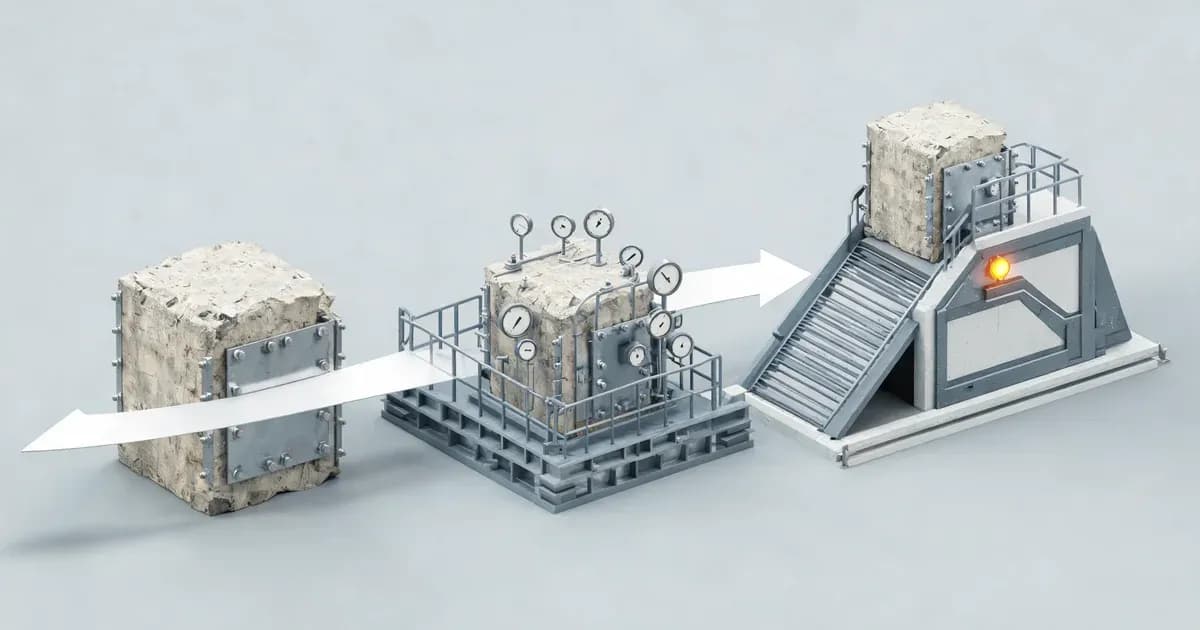
Our delivery process maps onto the same three phases. Discover and Design cover the Harden work: we pin down the real data, build the eval set, run the security review, and model the cost before writing much code. Build is where we stabilize, with retries, timeouts, fallback chains, observability, and guardrails going in as we ship. Operate is Deploy and everything after: canary rollout, tested rollback, on-call, and a re-eval cadence.
Before any client AI build goes live, we run the same go-live gate. We verify a hard monthly cost cap with an alert, a retry-and-timeout policy with a deterministic fallback, an eval that has to pass before we flip the flag, and a named on-call owner. If a build can't clear all four, it doesn't ship.
Already shipped a feature and want to harden it? Our guide to adding AI features to your app covers the build; this checklist is how you get it launch-ready. See our AI integration work for how we take AI features to production.
Frequently Asked Questions
When is an AI PoC ready for production?
When another team can run, monitor, and pay for it without the person who built it: real production data, a passing eval, cost caps and alerts, retries and a fallback, and a phased rollout with a tested rollback. If it only works when its author watches, it's a demo.
Why do most AI PoCs never reach production?
Operational reasons, not model quality. Gartner predicted in July 2024 that at least 30% of generative AI projects would be abandoned after proof of concept by the end of 2025, citing poor data quality, weak risk controls, escalating costs, and unclear value. The guardrails were never built.
How long does it take to move an AI PoC to production?
For a single feature, plan roughly 4 to 12 weeks, often a 90-day path: month one to harden (data, evals, security, cost), month two to stabilize (retries, fallback, observability), month three to deploy (canary, rollback, ownership). Complex agents or strict compliance push it out.
What does an AI demo miss that production needs?
A demo shows the happy path once. Production adds what it skipped: messy real data, cost controls, rate limiting and retries, a fallback for outages, latency targets under load, guardrails, and a rollback plan. The model is often the same; the scaffolding around it is missing.
How do I control AI/LLM costs before launch?
Multiply the token cost of one typical run by expected volume, then set a hard cap and an alert at 80% of budget. Cut it with prompt caching, cheaper-model routing, max-token caps, and batching. Never launch without knowing cost per run.
What is an eval baseline and do I really need one?
It's a golden set of 30 to 100 real inputs with expected outputs that you score every build against, with a numeric pass bar that gates deploys. Yes: without it, regressions surface from support tickets, not a test run. It's the cheapest insurance on the checklist.
What is graceful degradation (fallback) for an AI feature?
It's what your feature does when the model API is slow or down. Instead of hanging, it falls back: a cached response, a cheaper model, or a deterministic path. Set a timeout at p95 plus a margin, then trip it. The user gets a slightly worse answer, not an error.
Should I build the production version in-house or hire help?
Build in-house if you have engineers who've shipped and operated an LLM feature before and the bandwidth for on-call. Hire help when it's your first production AI system, the timeline's tight, or nobody owns the operational load. Techsy does this, but if your team runs the go-live gate well, keep it in-house.
The Bottom Line
Three takeaways. A working demo is not a production system; it just proves the model can do the task once. Most AI features that stall die on operational gaps like cost, rate limits, and fallback, not on model quality. The fix is to work these 12 points phase by phase (harden, stabilize, deploy) before you flip the flag. Do the boring work first, and launch day gets quiet. If you'd rather not do it alone, get a free production-readiness consultation.