Do We Still Need Figma? The CLAUDE DESIGN Guide
Claude Design shipped on April 17, 2026. It's Anthropic Labs' Figma-and-Canva challenger that turns plain-English prompts into prototypes, decks, and mockups. We tested it across 48 hours of hands-on use, burned through a meaningful chunk of a Pro plan's weekly allowance, and wrote down exactly what works, what breaks, and the seven prompts that consistently produce usable output. This Claude Design tutorial covers the prompts, the plan-by-plan weekly limits, and the Figma round-trip nobody else is covering yet.
Quick summary: Claude Design is Anthropic's new AI design tool that converts natural-language prompts into prototypes, decks, and wireframes inside a chat-and-canvas interface. It requires Claude Pro ($20/mo) or higher, runs on Claude Opus 4.7, and exports to PDF, PPTX, HTML, and Canva. It's a research preview, so features and limits may shift without notice.
What Is Claude Design?
Claude Design is Anthropic Labs' AI design tool, launched April 17, 2026 and powered by Claude Opus 4.7. It turns natural-language prompts into prototypes, pitch decks, wireframes, and mockups inside a chat-and-canvas interface, and exports to PDF, PPTX, HTML, and Canva. It's available to Claude Pro, Max, Team, and Enterprise subscribers as a research preview.
Who's it for? PMs who need a pitch deck before tomorrow's stand-up. Founders drafting a landing page concept without pinging a designer. Engineers mocking internal tools. And yes, working designers using it as a zero-to-first-draft accelerator before they switch into Figma for production polish.
What makes it feel different from Figma or Canva is the starting point. Figma starts with a blank canvas and a component library. Canva starts with a template. Claude Design starts with a sentence. You describe what you want, Opus 4.7 drafts it, and you iterate in chat or directly on the canvas. If you've read our write-up on Claude Opus 4.7, the reasoning upgrades there are exactly what's driving the quality jump: fewer blown layouts, better content hierarchy on the first draft.
Quick honesty note: it's a research preview. The weekly allowance math, the export behavior, the Figma integration, all of it is subject to change. As of our April 19 test, everything below held up. Your mileage in six weeks may vary.
How to Access Claude Design (Plans, Research Preview, First-Time Setup)
To access Claude Design, sign in at claude.ai/design with a Claude Pro ($20/mo), Max, Team, or Enterprise subscription. Free Claude accounts cannot use it. The product is in research preview, which means features ship fast but weekly usage limits apply and some functionality may change without notice. First-time setup takes under two minutes.
The plan requirement is strict. If you've been happily using claude.ai on a free tier, Claude Design will not appear in your sidebar. You'll need to upgrade first. Pro at $20/month is the cheapest door in; Max, Team, and Enterprise unlock higher weekly caps (more on those below).
First-time setup is three steps:
- Sign in at claude.ai/design with a Pro-or-higher account. The first time in, Claude asks a single onboarding question, "What do you do?", and you pick your role (Design, Engineering, Product, Sales, Data, Marketing, or Other). This calibrates the default tone and visual density of outputs, so answer honestly.
- Create a new project from the dashboard, give it a name and an optional one-line brief.
- Write your first prompt in the chat panel. The canvas on the right will populate within about 45-90 seconds on a medium-complexity prompt.
That's it. No plugin install, no design-token upload, nothing to configure. You can walk in cold and have something on the canvas before your coffee goes lukewarm. The research-preview label matters mostly because of the weekly allowance, Anthropic is still tuning how generation costs scale, so treat any specific limit claim in this post as accurate as of April 19, 2026 and verify against the Claude subscription usage and pricing article before you plan a design sprint around it.
The 7 Prompts That Actually Work
Effective Claude Design prompts specify audience, format, visual density, and constraints in one dense paragraph. The highest-performing pattern is: "[Artifact type] for [audience]. [Content specifics]. [Visual style]. [Constraints]." Below are seven copy-paste templates, each tested against a real deliverable.
We ran all seven against live briefs during our 48-hour test. Short prompts ("make me a pitch deck") produced generic templated output every time. Dense prompts, the kind that name the audience, the content, and the visual feel in one paragraph, landed usable first drafts on the first try in roughly two-thirds of runs. The pattern was first called out by Kamrun Nahar in a Medium walkthrough and it matches what we saw: density beats brevity.

1. Investor Pitch Deck
Use case: a 10-slide deck you'd walk into a seed-stage meeting with.
Build a 10-slide investor pitch deck for a seed-stage B2B SaaS
selling AI-powered customer-support automation. Slides: problem,
market size ($8B TAM), solution overview, product demo screenshot
placeholder, traction (2 logos, $40k MRR), go-to-market, competition
2x2 matrix, team (3 founders), financials (3-year projection),
ask ($2M seed). Style: confident, light-on-text, dark background,
single accent color. Constraint: no more than 25 words per slide.
Expect a coherent 10-slide deck in one pass. Iterate the financials slide, the placeholder numbers are almost always wrong for your business.
2. Dense B2B Dashboard
Design a desktop analytics dashboard for a B2B ops team tracking
SaaS customer health. Modules: MRR trendline, churn rate gauge,
customer-health heatmap, top 5 at-risk accounts list, NPS score
card, activation funnel. Style: data-dense, neutral grays, single
green/red accent for health signals, 14px base font. Constraint:
no decorative illustrations, this is a working tool.
The hardest prompt in the set. Expect to iterate on data density, the first pass usually adds too much breathing room.
3. Mobile Onboarding Flow
Design a 4-screen mobile onboarding flow for a meditation app.
Screens: welcome + value prop, 3-question preference quiz, account
creation (email or Apple/Google), first-session prompt. Style:
calm, warm gradient backgrounds, rounded cards, 1 illustration per
screen. Target: iPhone 15 size. Constraint: each screen has one
primary CTA, no more.
Lands cleanly 9 times out of 10. The illustrations are generic, so plan to replace them.
4. Marketing One-Pager
Build a marketing landing page for a developer-facing Postgres
monitoring tool. Sections: hero (headline, subhead, primary CTA,
screenshot placeholder), 3 feature blocks with icons, social proof
logo strip, pricing table (3 tiers), FAQ (6 questions), footer
CTA. Style: technical, code-font accents, dark + one terminal-green
accent. Constraint: copy should read like docs, not marketing.
Great first draft. You'll rewrite all the copy yourself; that's the iteration loop.
5. Lo-Fi Wireframe for User-Flow Mapping
Generate a lo-fi wireframe set for a 6-step user flow: new user
signs up, verifies email, completes profile, invites a teammate,
creates first project, lands on populated dashboard. Style: pure
wireframe — gray boxes, placeholder lines, no colors, no
illustrations. Annotations on: label each interactive element.
Output: single horizontal frame showing all 6 steps.
This one is the sleeper. Wireframes are what Claude Design is actually best at, because the constraint ("no colors, no illustrations") removes the dimensions where it usually over-decorates.
6. Landing Page From a Competitor URL
Build a SaaS landing page for [your product + one-line pitch].
Visual inspiration: [competitor URL]. Match their section rhythm
and whitespace, but use our brand voice (technical, dry, no
exclamation marks) and a blue-gray palette instead of their
orange. Constraint: don't copy their copy, only the structural
rhythm.
The "inspired by URL" trick works. Claude Design reads the page and mirrors structure, not content. Caveat: check your legal position on visual similarity before you ship.
7. Design System From an Existing Codebase
Extract and document a design system from this codebase:
[GitHub URL pointing to a subdirectory — not the full monorepo].
Pull: color tokens, typography scale, spacing units, button
variants, form components. Output: a single documentation page
with live component examples and a tokens table. Constraint:
only use colors and fonts that actually exist in the source.
Works well on a clean subdirectory. Point it at a full monorepo and the context window gives up. That's the gotcha we hit, covered below.
From Prompt to Prototype: A Live Walkthrough
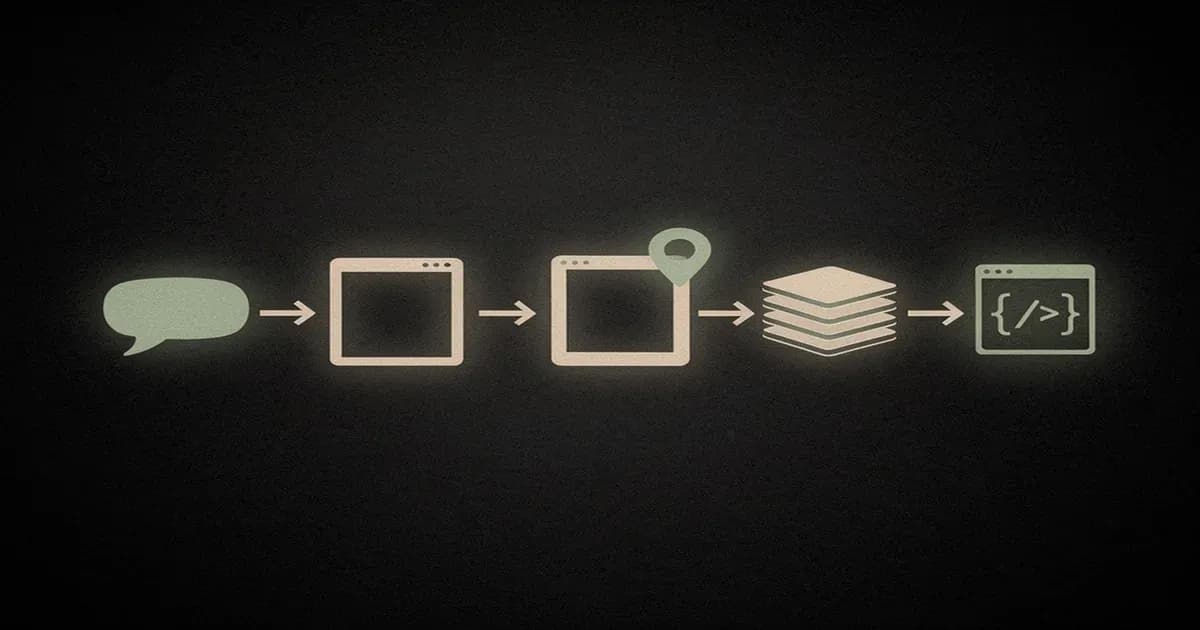
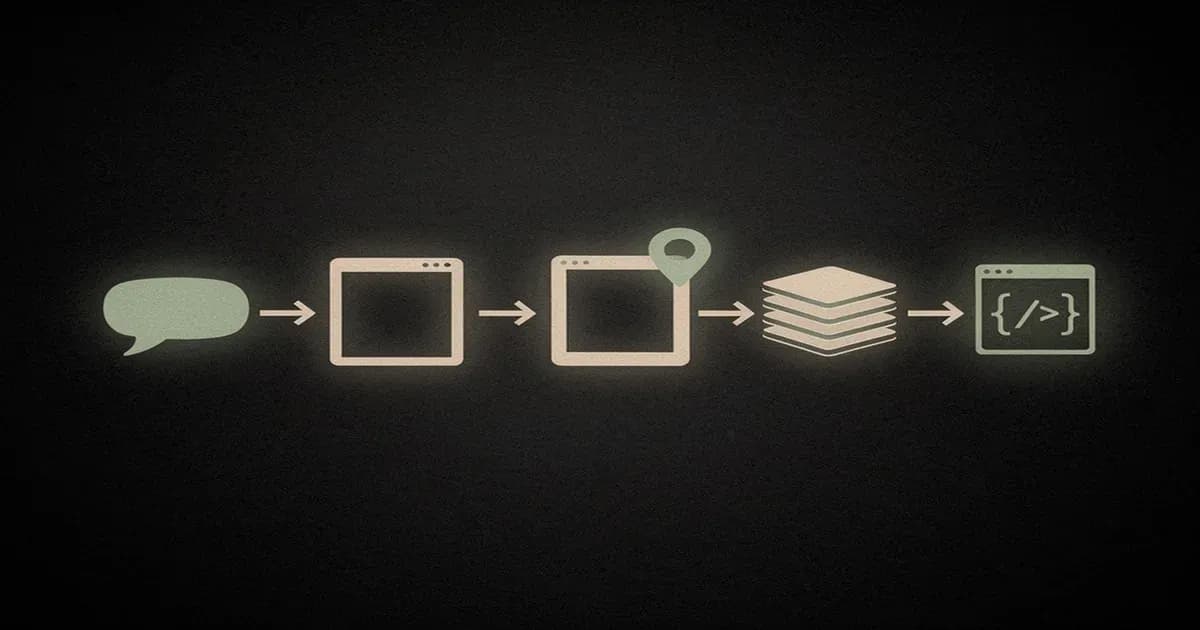
The Claude Design workflow is five stages: (1) write your prompt in the chat panel, (2) let Opus 4.7 generate the first draft on the canvas, (3) iterate using chat replies or inline comments, (4) adjust typography and colors with tweak sliders, (5) export or hand off to Claude Code. Most projects reach v1 in under ten minutes.
Here's how it played out during our test when we ran Prompt #1 (the investor pitch deck):
- Write the initial prompt. We pasted the dense investor-deck prompt into the chat panel and hit send. No other setup.
- Read the first draft. In our test runs, the first draft lands in 45-90 seconds depending on prompt complexity. Ten slides, coherent structure, lightly-styled. Enough to evaluate before we poured any allowance into iteration.
- Iterate with chat or inline comments. Chat replies are for layout-level edits ("tighten the headline hierarchy across all slides"). Inline comments click directly on an element and attach a targeted edit ("make this button the secondary brand color"). Mix both, one for global rewrites, the other for surgical touch-ups.
- Tweak the sliders. Typography scale, color palette temperature, spacing density. These live in a panel on the right and don't consume a chat round, which matters for your allowance.
- Export or hand off. PDF for the pitch meeting, PPTX if your investors want to comment in PowerPoint, HTML if you're wiring it into an email flow, or the one-click handoff to Claude Code if you're turning it into real product.
The whole deck took us about eight minutes from blank project to exportable PDF. That's the time-to-first-draft claim, and it's real, with the caveat that "first draft" is not "ready to send." Plan on one or two iteration passes for anything you'll show to money.
Iterating with Chat, Inline Comments, and Tweak Sliders
Claude Design offers three iteration modes. Chat replies make global edits ("make it more minimal"). Inline comments attach to a specific canvas element for targeted edits. Tweak sliders adjust typography scale, spacing, and color palette without re-prompting. Use inline comments for element-level changes and chat for layout-level rewrites.
The official workflow tutorial on claude.com covers all three, but the practical question is when to reach for each. Here's the cheat sheet we ended up taping to the side of our monitor:
| Mode | Best for | Example |
|---|---|---|
| Chat reply | Layout-level changes | "Make the header smaller and move the CTA above the fold" |
| Inline comment | Element-level changes | Click button → "Use secondary brand color" |
| Tweak sliders | Style adjustments | Typography scale, palette temperature, spacing density |
A pro tip from our runs: sliders don't burn chat rounds. If you're fifteen minutes into a session and starting to eye your weekly allowance nervously, push as much of the styling work as you can to the sliders before you reach for another chat reply.
Connecting Your Codebase and Design System
Claude Design can ingest your existing design system or codebase to match your brand. Upload a Figma file, link a GitHub repo, or paste a CSS/Tailwind token file. Scope narrowly, link a subdirectory, not a full monorepo, to avoid the extractor running out of context. Verify extracted tokens before prompting.
The file types it reads today: Figma files (via Anthropic's Figma integration), GitHub URLs (point at a directory, not a whole repo), CSS/Tailwind config files pasted inline, image uploads for color-palette extraction, and documents (DOCX, PPTX, XLSX) so you can hand Claude existing brand guidelines, brief copy, or a data table to visualize. That last category is underrated, drop in a revenue spreadsheet and ask for a dashboard built on the actual numbers, and the first draft comes back with real values instead of lorem-data placeholders.
The gotcha: when we tried linking our full monorepo, the extractor timed out partway and came back with a half-populated token list. Pointing it at apps/web/src/styles instead gave us a clean extraction in about 20 seconds. The lesson is painful but simple: narrow the scope yourself, don't trust the tool to do it for you.
Before you start prompting against the extracted system, verify it caught what you think it did. Ask: "What colors and typography did you extract from this codebase?" Then eyeball the list. If it missed your brand accent or grabbed an old deprecated gray, fix it now. Prompting against a half-wrong design system wastes allowance on outputs you'll reject anyway.
One more thing: the rule-writing muscle is transferable. If you're used to writing rules files like Cursor rules or the Claude Code equivalents, the same instincts apply here: tight scope, explicit constraints, verify before you build.
Exporting to PDF, PPTX, HTML, and Canva
Claude Design exports to four formats from the canvas: PDF (for pitch decks and one-pagers), PPTX (editable in PowerPoint or Keynote), HTML (a self-contained static page with inline CSS), and Canva (one-click handoff for further editing). Exports preserve layout but strip some interactive prototype behavior.
Pick based on what you're doing next:
- PDF: sending the deck to an investor, printing a one-pager, attaching to email. Final-form output, no editing downstream.
- PPTX: handing off to a team that lives in PowerPoint or Keynote. You lose some of Claude Design's layout precision on the way out, fonts sometimes substitute.
- HTML: embedding in a landing page, posting to a static host, or using it as an email template. The CSS comes inline, so you can drop it into any wrapper.
- Canva: one-click send to Canva for marketing-team editing. This is the path if a non-technical colleague needs to own the asset from here.
What breaks on export: interactive prototype behavior. Hover states, click-through frames, and the tweak-slider styling you layered on last all flatten to static. If the prototype matters, keep a live Claude Design URL alongside the export, or hand off to Figma (next section) where interactive behavior survives the trip.
Claude Design to Figma (and Claude Design to Claude Code) Round Trip
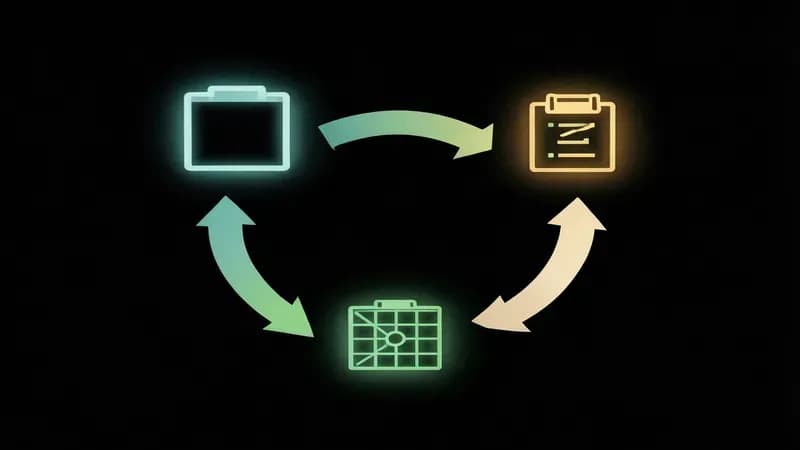
Claude Design connects to Figma in both directions. To send from Claude Design to Figma, export HTML and import via the Anima plugin, which converts it into editable Figma frames. To bring Figma designs into Claude Design, use Anthropic's Figma integration or hand off through Claude Code, which reads Figma files via MCP and translates them into production code.
This is the workflow that separates Claude Design from every other AI design tool on the market. You don't have to choose between prompt-first and canvas-first. You can move between them. Here's how the round trip works in practice.
Claude Design to Figma (via Anima)
The handoff path when you need Figma's polish and component libraries on top of a Claude Design first draft:
- Export your Claude Design artifact as HTML from the canvas.
- Open Figma and install the Anima plugin if you haven't already (Plugins menu → Browse → search "Anima").
- In Anima, choose "Import HTML" and drop the exported file.
- Anima converts the HTML into editable Figma frames. Real text layers, real rectangles, real colors.
Expect to clean up typography. Anima does a decent job on layout and color fidelity but font weights drift, especially if you used variable fonts. Budget 15-20 minutes of post-import cleanup on a landing page.
Figma to Claude Design to Claude Code
The path when you've got a Figma file and you want to ship code:
- Import the Figma file into Claude Design using Anthropic's Figma integration (link the file, authorize access).
- Iterate inside Claude Design, use prompts to modify content, sliders to adjust styling. The chat-first model is faster for structural changes than Figma's drag-and-drop.
- Hand off to Claude Code with the one-click "open in Claude Code" action. Claude Code reads the design via MCP and generates production code (React, Vue, or plain HTML depending on your stack).
Claude Code then does what it does best. If you're new to it, our guides on Claude Code's hook system and switching models in Claude Code cover the configuration choices that matter most once you're in the production-code stage. The full loop, Figma to Claude Design to Claude Code to deployed app, is the part no competitor has documented end-to-end, and it's genuinely the most powerful workflow in the Anthropic product family right now.
Weekly Usage Limits: What Each Plan Actually Gives You
Claude Design usage counts against your weekly Claude message allowance, not a separate credit pool. Generating a design system or initial prototype burns allowance faster than iterating. Pro users running two or three large projects per week may hit limits before the week resets. Max and Team tiers offer materially higher weekly caps suited to daily design work.
The weekly allowance is the least-covered and most-important part of the product. Most tutorials hand-wave past it. We burned through enough of a Pro plan in 48 hours to have opinions.
"Relative Claude Design allowance cost by action (directional)"
Data table
| "Action type" | "Cost per action" |
|---|---|
| "Initial deck generation" | 10 |
| "Design system extraction" | 12 |
| "Layout iteration (chat)" | 3 |
| "Element tweak (inline)" | 2 |
| "Slider adjustment" | 0 |
Here's what each plan gives you as of April 19, 2026 — exact weekly numbers are on Anthropic's subscription usage and pricing page and they've already been tuned once since launch, so check there before you budget.
| Plan | Monthly cost | Weekly Claude allowance | Claude Design projects per week (rough) | Extra-usage cost | Best for |
|---|---|---|---|---|---|
| Free | $0 | Not eligible | , | , | Not available |
| Pro | $20/mo | Standard weekly | ~3-5 medium projects | Per Anthropic docs | Solo PM, founder, occasional designer |
| Max | Varies (see pricing page) | 5x Pro cap | ~15-25 medium projects | Per Anthropic docs | Full-time designer, daily use |
| Team | Varies | Per-seat allowance | Scales with seats | Per Anthropic docs | Design teams of 3+ |
| Enterprise | Custom | Custom + SSO | Custom | Custom | Large orgs |
In our 48-hour test (one investor pitch deck, one mobile onboarding flow, two iteration passes and an export) we consumed a directionally meaningful chunk of a Pro plan's weekly window. Enough that a third serious project would have bumped us into the "locked out for a week after half an hour" zone PCWorld reported on this month. If Claude Design is your daily tool, Pro is not the right plan. If it's your once-a-week "draft the board deck" tool, Pro is fine.
The first prompt of any project is where most of the spend happens. Initial generation (especially design-system extraction) is expensive; iteration is cheap. If you're trying to stretch allowance, invest in a tight first prompt and iterate your way to the final instead of re-rolling the whole draft.
Claude Design vs Figma vs Figma Make vs Canva vs v0
Pick Claude Design for fast first drafts from natural-language prompts, pitch decks, and prototypes when you don't have time to build in Figma. Pick Figma for polished production design. Pick Figma Make for prompt-first design that stays native to your Figma files and component library. Pick Canva for marketing assets. Pick v0 for React-component-first outputs that ship directly to production codebases.
The honest matrix, use case by use case:
| Use case | Winner | Why |
|---|---|---|
| First-draft prototype from an idea | Claude Design | Chat-to-canvas is faster than blank-canvas design |
| Prompt-to-design without leaving Figma | Figma Make | Lives inside Figma, reuses your component library, no round-tripping |
| Polished UI with design-ops maturity | Figma | Component libraries, auto-layout, team files |
| Marketing asset / social graphic | Canva | Templates, stock art, simple editor |
| React component to ship today | v0 | Outputs production Next.js/Tailwind code |
| Pitch deck | Claude Design (slight edge) | PPTX export plus generative content |
| Design system documentation | Figma | Component inspector plus dev mode |
| Landing page from a brief | Claude Design or v0 | Claude Design for prompt-first, v0 for code-first |
The Claude Design vs Figma Make distinction trips most people up. Both take a prompt and generate a design. The difference is where they live and what they own. Figma Make is a feature inside Figma that generates design layers back into your existing file, it's best when you're already Figma-native and want faster starting points without changing tools. Claude Design is a standalone product that owns the whole surface: chat, canvas, export, and Claude Code handoff. Use Figma Make when Figma is already your home; use Claude Design when you want to start from a blank prompt and end at an exportable artifact or shipped code.
If you're also evaluating the code-first AI builders, our Lovable vs Bolt vs v0 comparison goes deeper on where each of those three lands. The short version is that Claude Design plays a different game. It's not competing for the "generate a deployable app" slot; it's competing for the blank-canvas-to-first-draft slot.
Claude Design doesn't replace Figma. It's a new front-end of the design process, particularly strong at "from zero to first draft." You'll still end up in Figma for production polish, in Canva for your social team, and in v0 when you want component code rather than a prototype. What's new is having something fast and opinionated at the ideation end of the pipeline.
Common Gotchas and Workarounds
Common Claude Design issues in April 2026: weekly allowance burns faster than expected on design-system generation, large monorepo ingestion times out, exports flatten interactive prototype behavior, and the Figma integration occasionally loses typography fidelity. Scope projects narrowly and verify extractions before deep iteration to avoid wasted allowance.
Five gotchas we hit in 48 hours, with the workaround for each:
- Allowance burn on the first prompt. Initial generations cost much more than iterations. Invest in a dense, specific first prompt and iterate from there. Don't re-roll.
- Monorepo ingestion fails. Point at a subdirectory (e.g.,
apps/web/src/styles), not the root of a multi-package repo. The extractor runs out of context on anything bigger. - Interactive prototype behavior flattens on export. PDF and PPTX lose hover states and click-through frames. Keep a live canvas URL handy or export to HTML where behavior partially survives.
- Figma typography drifts on Anima import. Font weights substitute on the way in. Verify after import, rebuild variable-font styles manually.
- "Locked out for the week." If you hit the weekly cap, you either wait for the reset or upgrade plans mid-cycle. PCWorld's case study, a journalist hitting the wall in under 30 minutes, is worth reading before you commit to Pro for a daily-use scenario.
The product will get better. Claude Code's 2026 roadmap hints at cross-product improvements that would address several of these, and Claude Design is tied closely enough to the Code side that those gains probably land here too. For now, these are the five you'll trip over in your first week.
FAQ
What is Claude Design?
Claude Design is Anthropic Labs' AI design tool launched April 17, 2026. It converts natural-language prompts into prototypes, pitch decks, wireframes, and mockups inside a chat-and-canvas interface, exports to PDF, PPTX, HTML, and Canva, and runs on Claude Opus 4.7. It's available to Claude Pro and higher subscribers as a research preview.
Is Claude Design free?
No. Claude Design requires a Claude Pro subscription ($20/month) at minimum. Max, Team, and Enterprise plans also unlock it. Free Claude.ai accounts cannot access the product. Anthropic positions this as a paid product rather than a free tier because generation costs scale with image, layout, and export complexity.
How much does Claude Design cost?
Claude Design comes bundled with Claude Pro at $20/month, with higher-tier Max, Team, and Enterprise plans offering materially larger weekly allowances. There's no separate Claude Design subscription. Weekly usage counts against your Claude message allowance, and extra-usage pricing is documented in the Claude subscription and pricing help article.
What's the difference between Claude Design and Claude Code?
Claude Design produces visual artifacts: prototypes, decks, wireframes, and mockups. Claude Code produces working code. They share underlying models (Opus 4.7) and connect via a one-click handoff: design in Claude Design, ship code via Claude Code. Our Claude Code vs Cursor vs Copilot breakdown covers the code side in depth.
Can Claude Design export to Figma?
Yes, via the Anima plugin. Export your Claude Design artifact as HTML, then use Anima inside Figma to convert it to editable frames. You can also go the other direction, import Figma files into Claude Design via Anthropic's official Figma integration for prompt-based iteration on existing designs.
Can Claude Design create logos, websites, and mobile apps?
Yes, with caveats. Logos: it generates basic wordmarks and simple marks, not brand-grade work. Websites: landing pages and marketing one-pagers are strong use cases. Mobile apps: onboarding flows and screen mockups work well; full multi-screen interactive prototypes are still rough. Use it for first drafts, polish elsewhere.
What model powers Claude Design?
Claude Opus 4.7 powers the generation under the hood. The reasoning and layout-quality improvements in Opus 4.7 are what make the first-draft output usable rather than templated. Our write-up on Claude Opus 4.7 covers the model-level changes that drive the design-quality jump.
What are Claude Design's biggest limitations right now?
Three practical ones: weekly allowance burns quickly on design-system generation and initial drafts; monorepo codebase ingestion times out (link subdirectories instead); and export to PDF or PPTX flattens interactive prototype behavior. It's a research preview, so treat any specific behavior as subject to change without notice.
Will Claude Design replace designers?
No. It augments. Claude Design is strong at zero-to-first-draft and weak at production polish, brand-specific detail work, and design-system maintenance. Designers shift from pixel-pushing to directing output and owning the 20 percent of the work that actually requires taste. The job changes; the job doesn't disappear.
How do I hand off Claude Design to Claude Code?
Use the one-click "open in Claude Code" action from the Claude Design canvas. Claude Code reads your design via MCP and generates production code in your stack of choice: React, Vue, or plain HTML. Review the generated components, run them against your test suite, and commit. The round trip is covered in full in the Figma section above.
The Bottom Line
- Claude Design is the fastest path from a sentence to a usable first-draft prototype, deck, or wireframe.
- The 7-prompt library above is your copy-paste starting point; dense prompts beat short prompts every time.
- Budget your weekly allowance, Pro is fine for occasional use, Max or Team for daily work.
- The Figma round trip (via Anima) and the Claude Code handoff (via MCP) are what make Claude Design genuinely new, not just another AI design toy.
- It's a research preview. Everything above is accurate as of April 19, 2026. Re-verify weekly caps before you bet a sprint on them.
Building production software that needs to go from prompt to prototype to shipped product? At Techsy, we've been threading Claude Design, Claude Code, and Figma into client workflows since launch day. Get a free consultation if you want a review of your current stack.
This tutorial was written by the Techsy editorial team. We're a software development consultancy that ships AI-augmented product workflows for startups and product teams. We tested Claude Design across a 48-hour window starting April 17, 2026, building three real deliverables to generate the numbers and gotchas in this piece.