Gemma 4 12B: Benchmarks, VRAM Requirements & How to Run It Locally
Google DeepMind shipped Gemma 4 12B on June 3, 2026. Three days later, the number everyone's repeating is the MMLU Pro score: 77.2%. That beats last year's Gemma 3 27B, which managed 67.6% on the same test. A 12-billion-parameter model out-scoring a 27B flagship? At less than half the memory? Yeah. And the license changed too. Gemma 4 ships under Apache 2.0, so commercial use is fine, no asterisks. It carries a 256K-token context window and runs in roughly 6.6 GB of VRAM once you quantize it. That last part is the whole story for most of us: this thing fits on a mid-range GPU.
Key Takeaways
- Gemma 4 12B (released June 3, 2026) scores 77.2% on MMLU Pro, beating last year's Gemma 3 27B (67.6%).
- It runs in ~6.6 GB VRAM at Q4_K_M, fitting an 8GB GPU; ~16GB gives comfortable headroom.
- Apache 2.0 license (commercial use OK), 256K context, native audio + image input, encoder-free architecture.
- One command to run it:
ollama run gemma4:12b(7.6 GB download).
What Is Gemma 4 12B?
Gemma 4 12B is a 12-billion-parameter open-weights model from Google DeepMind, released June 3, 2026 under an Apache 2.0 license. It's an encoder-free, unified multimodal model: text, image, and native audio go in, text comes out. It carries a 256K-token context window and supports 140 languages.
The instruction-tuned variant you'll actually run is named gemma-4-12B-it (the "it" is short for instruction-tuned, the chat-ready version). It has 11.95B total parameters, so "12B" is rounding up a hair. Training data runs to a January 2025 cutoff.
Here's the part that makes it interesting: Gemma 4 12B is the first mid-sized Gemma with native audio input. There's no separate audio encoder bolted on. Raw waveforms project straight into the model. Same for images. That design choice is why it stays small enough to run on a single consumer card, and we'll get to why in a moment.
Want the bigger picture first? Our guide to running open models on your own machine covers the setup basics if you're new to local LLMs. Google's official launch post has the full announcement.
Gemma 4 12B Specs at a Glance
Everything verified, in one table. No guessing.
| Spec | Value |
|---|---|
| Full name | Gemma 4 12B (gemma-4-12B-it) |
| Parameters | 11.95B (~12B) |
| License | Apache 2.0 (commercial use OK) |
| Context window | 256K tokens |
| Modalities | Text + image + native audio in, text out |
| Architecture | Encoder-free unified, 48 layers, hybrid attention |
| Languages | 140 |
| Training cutoff | January 2025 |
| Ollama tag | gemma4:12b (7.6 GB download) |
| Apple Silicon tag | gemma4:12b-mlx |
| Recommended sampling | temperature 1.0, top_p 0.95, top_k 64 |
One note on sampling: stick with the recommended temperature=1.0, top_p=0.95, top_k=64 unless you have a reason not to. Gemma models behave oddly at low temperatures, so don't reflexively drop it to 0.2 the way you might with other models.
How Does the Encoder-Free Architecture Work?
Encoder-free means there's no separate model converting images or audio before they reach the language model. Vision patches and raw audio waveforms project directly into the shared embedding space through thin linear layers. Most multimodal models bolt a heavy vision encoder onto the LLM. Gemma 4 12B skips that, which is why it fits in 16GB.
Think of it like a translator versus a bilingual person. The old approach hires a separate translator (the encoder) to convert images into a language the model understands, then hands that off. Gemma 4 12B is bilingual from birth. Audio and image data speak the model's native language directly, through a lightweight projection layer instead of a bulky encoder.
Under the hood it's 48 layers with hybrid attention. Most layers use a 1024-token sliding window (cheap, local), interleaved with occasional global-attention layers that see the whole context. That mix is how it handles a 256K context without melting your GPU.
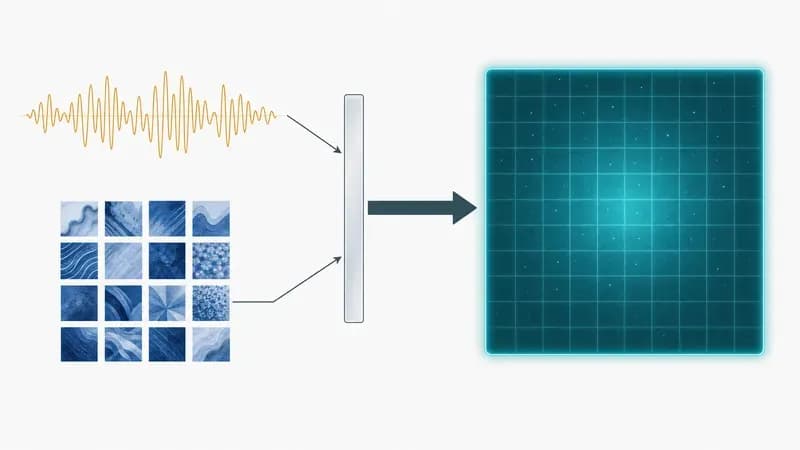
The practical payoff: fewer parameters spent on encoders means more of your VRAM budget goes to the actual reasoning. That's the trade that lets a 12B model punch this far above its weight.
Gemma 4 12B Benchmarks: The Real Numbers
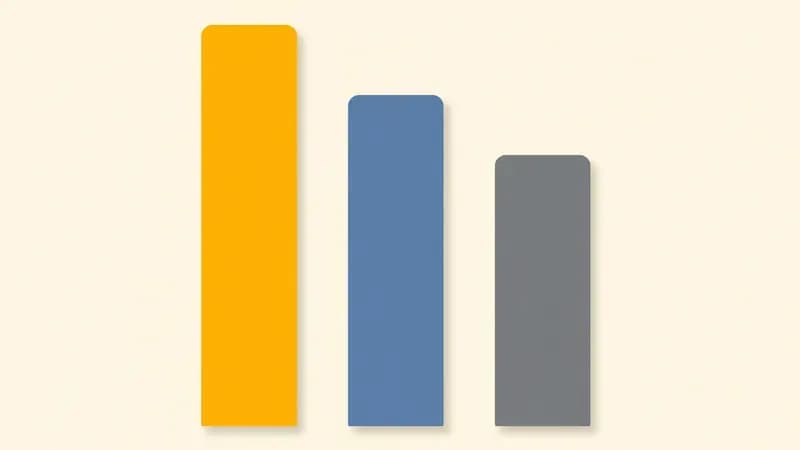
The headline holds up: Gemma 4 12B scores 77.2% on MMLU Pro, beating Gemma 3 27B's 67.6% on the same test, at less than half the VRAM. These are official instruction-tuned (-it) numbers from Google, not community estimates. Here's the full set.
| Benchmark | Gemma 4 12B | Gemma 3 27B (reference) |
|---|---|---|
| MMLU Pro | 77.2% | 67.6% |
| GPQA Diamond | 78.8% | , |
| MMMU Pro | 69.1% | , |
| AIME 2026 (no tools) | 77.5% | , |
| LiveCodeBench v6 | 72.0% | , |
| Codeforces ELO | 1659 | , |
A 12B model now beats last year's 27B flagship on MMLU Pro: 77.2% vs 67.6%. That's the kind of generational jump that makes you re-check your hardware math.
Two honest caveats. First, the dashes mean Google didn't publish a Gemma 3 27B number for those rows, so the cells stay blank rather than get filled with guesses. Second, every score here is the instruction-tuned model. The base model numbers differ. You can cross-check all of these on the HuggingFace model card and the DeepMind model page.
How Much VRAM Does Gemma 4 12B Need?
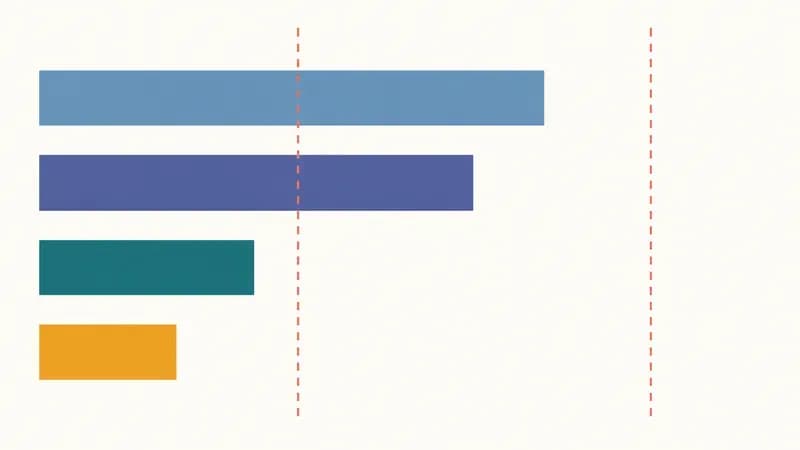
Gemma 4 12B needs about 6.6 GB of VRAM at Q4_K_M quantization, which means it fits on an 8GB GPU. For comfortable headroom, especially if you want to use a chunk of that 256K context, aim for 16GB of VRAM or unified memory. It runs on a laptop. M-series Macs handle it through unified memory just fine.
Quantization is just compression for model weights. Lower-precision numbers, smaller file, slightly less accuracy. Here's how the common levels map out.
| Quantization | Approx. VRAM | Quality | Best for |
|---|---|---|---|
| Q4_K_M | ~6.6 GB | Near-full, tiny loss | The sensible default; fits 8GB cards |
| Q5_K_M | ~8.5 GB | Slightly better than Q4 | A little spare VRAM, want more accuracy |
| Q8 | ~13 GB | Effectively full quality | 16GB+ cards, max fidelity |
| QAT Q4_0 | ~6.6 GB | Near-FP at Q4 footprint | Best quality-per-GB (released June 5) |
If you're picking hardware around this model, our roundup of the local-LLM tools we benchmarked covers which backends squeeze the most out of a given card. The short version: a 12GB card runs Q4 with room to spare, an 8GB card runs Q4 if you keep the context modest.
Gemma 4 12B Speed: Tokens/sec Across Real Hardware
How fast is it? That depends on your card, your quantization, and your backend, so instead of one number we gathered the published third-party figures into one place. These are reported by community testers and vendors, attributed to each source. They're not our own lab numbers.
| Hardware | Quant | Reported tokens/sec | Source |
|---|---|---|---|
| RTX 3060 (6GB) | Q4_K_M | ~6.6 GB VRAM footprint, runs locally (tok/s not precisely reported) | runaiathome |
| RTX 4090 (24GB) | Q4_K_M | Real-time-chat range (specific tok/s not yet reported) | apxml / community |
| Apple M-series (unified) | mlx / Q4 | Runs via gemma4:12b-mlx (tok/s not yet widely reported) | Ollama / community |
I'll be straight with you about what the public data actually says right now. runaiathome confirmed the model running on a 6GB RTX 3060 inside its ~6.6 GB Q4_K_M footprint, which is the most concrete published hardware report so far. apxml's spec sheet and the Ollama library page confirm the model serves locally on a 24GB RTX 4090 at Q4, comfortably in real-time-chat territory, but a precise sustained tok/s figure isn't published yet for that card. The Apple Silicon gemma4:12b-mlx variant exists and runs, but reliable tok/s numbers haven't surfaced three days post-launch.
What this means for you, by tier: on a 6GB card like the RTX 3060, expect it to load and run for local chat, just keep your context window modest. On a 24GB RTX 4090 at Q4_K_M, published reports put it comfortably in real-time-chat territory. On Apple Silicon, the MLX build runs but benchmark numbers are still trickling in.
These are published third-party figures, not our own lab numbers, so treat them as ballpark. Your tok/s depends on prompt length, context size, and backend version. Sources: the Ollama library page, apxml, and runaiathome. As more community benchmarks land over the next two weeks, we'll update this table.
How Do You Run Gemma 4 12B Locally?
The shortest path: install Ollama, run one command, done. ollama run gemma4:12b pulls the 7.6 GB model and drops you into a chat prompt. No config files, no Python environment. If you want more control or you're on Apple Silicon, there are four other paths below.
1. Ollama (the easy default). Pull and run in two lines:
ollama pull gemma4:12b
ollama run gemma4:12b
2. llama.cpp with a GGUF. If you want a specific quantization, point llama.cpp at a GGUF on HuggingFace. GGUF is the file format llama.cpp uses for quantized weights:
llama-cli -hf unsloth/gemma-4-12b-it-GGUF:Q4_K_M -p "Explain encoder-free models in one paragraph."3. MLX on Apple Silicon. M-series Macs get a dedicated MLX build that uses Apple's framework instead of CUDA:
ollama run gemma4:12b-mlx4. LM Studio (GUI, no terminal). Prefer a desktop app? Open LM Studio, hit the search tab, and type gemma 4 12b. Pick a Q4_K_M GGUF and download. LM Studio handles the rest, including a local server toggle.
5. Query it over the API. Ollama exposes an OpenAI-compatible endpoint on port 11434, so existing code works with a one-line base-URL swap:
curl http://localhost:11434/v1/chat/completions \
  -H "Content-Type: application/json" \
  -d '{
    "model": "gemma4:12b",
    "messages": [{"role": "user", "content": "Summarize the 256K context window in one sentence."}]
  }'
Once you've got it running on the CLI, you'll probably want a real interface. You can wrap it in a ChatGPT-style UI with Open WebUI in about five minutes. New to all of this? Start with our full local-LLM setup guide. For the official sampling recommendations and run paths, see ai.google.dev and the Ollama docs.
Which Quantization Should You Use for Gemma 4 12B?
For most people, Q4_K_M is the sensible default: about 6.6 GB of VRAM, near-full quality, and it fits an 8GB GPU. If you've got 16GB or more and want maximum fidelity, step up to Q8. And if you want the best quality-per-gigabyte available right now, look at the new QAT Q4_0 checkpoints.
Here's the freshness angle nobody's folded in yet. On June 5, 2026, just two days after launch, Google released Quantization-Aware-Training (QAT) Q4_0 checkpoints alongside a new mobile format. QAT means the model was trained with quantization in mind, so it holds near-FP (near-full-precision) quality at a Q4 footprint. Same ~6.6 GB, noticeably less accuracy loss than standard post-training Q4. If you're VRAM-constrained but quality-sensitive, that's your pick.
Quick decision guide:
- 8GB card, want simple: Q4_K_M.
- 8GB card, want best quality at that size: QAT Q4_0.
- 16GB+ card, want maximum fidelity: Q8.
- In between, a little spare VRAM: Q5_K_M.
You can read Google's reasoning in their QAT announcement. The takeaway: Q4_K_M is fine, QAT Q4_0 is better at the same size, and you only need Q8 if accuracy matters more than memory.
Gemma 4 12B vs Gemma 3 12B vs Qwen 3.5: Is the Upgrade Worth It?
Yes, the upgrade from Gemma 3 12B is worth it if you care about the Apache 2.0 license, native audio input, the 256K context window, or the MMLU Pro jump. Against Qwen 3.5, it's closer. Gemma 4 12B wins on license permissiveness and native audio, but Qwen 3.5 takes some 12B-class benchmark rows. Pick on your actual needs, not the headline.
| Feature | Gemma 4 12B | Gemma 3 12B | Qwen 3.5 (12B-class) |
|---|---|---|---|
| License | Apache 2.0 | Custom Gemma license | Apache 2.0 |
| Context | 256K | 128K | Up to 256K |
| Modalities | Text + image + audio | Text + image | Text + image |
| Native audio | Yes | No | No |
| MMLU Pro | 77.2% | Lower | Competitive, wins some rows |
| Q4 VRAM | ~6.6 GB | ~6.6 GB | ~6.6 GB |
The license change alone justifies the move off Gemma 3 12B for a lot of teams. Gemma 3 shipped under Google's custom license with usage restrictions; Gemma 4 is straight Apache 2.0. If you were holding off on Gemma for commercial reasons, that blocker is gone.
Against Qwen 3.5, be honest with yourself. Qwen 3.5 is genuinely strong and edges Gemma 4 12B on certain reasoning and coding rows. If audio input and a permissive license aren't on your list, benchmark both on your own task before committing. See where Gemma 4 12B lands among the best open models for the wider field. And since it's Apache 2.0, you can fine-tune it under Apache 2.0 with Unsloth without license headaches.
When NOT to Use Gemma 4 12B
Skip Gemma 4 12B if you need frontier-level reasoning that only a much larger model delivers, if Qwen 3.5 wins the specific benchmark row your workload depends on, or if your project leans hard on audio tooling that's still maturing three days post-launch. It's an excellent 12B model, not a magic one.
Gemma 4 12B isn't always the right pick. If you need frontier-level reasoning, a larger model still wins. The native audio support is real and impressive, but the surrounding tooling, libraries, helper utilities, framework integrations, is days old and rough in places. If you're shipping an audio-heavy product this week, test thoroughly before you bet on it.
A few more honest disqualifiers. If you're wiring it into an agent, confirm the tool-calling reliability on your tasks first, since agentic behavior varies by model. If your edge is the long context, make sure you make the most of the 256K context window rather than assuming raw window size equals better output. And if you're moving past local runs into production serving, the production-serving path beyond local covers vLLM and SGLang. If you're deploying open models like Gemma 4 12B in production, we can help.
Frequently Asked Questions
How do I run Gemma 4 12B locally?
Install Ollama, then run ollama run gemma4:12b. That pulls the 7.6 GB model and opens a chat prompt. No Python environment or config files needed. If you want a graphical app instead, LM Studio works too: search gemma 4 12b in its model browser and download a Q4_K_M build.
What are the VRAM and hardware requirements for Gemma 4 12B?
Gemma 4 12B needs about 6.6 GB of VRAM at Q4_K_M quantization, so it fits an 8GB GPU. For comfortable headroom, especially when using the long context, aim for 16GB of VRAM or unified memory. It runs on laptops, including M-series Macs through unified memory.
Can Gemma 4 12B run on a 16GB laptop?
Yes, easily. At Q4_K_M the model uses roughly 6.6 GB, leaving plenty of room on a 16GB machine. On Apple Silicon laptops the unified memory handles it well through the gemma4:12b-mlx build. You can even step up to Q8 quantization on 16GB for higher fidelity.
Is Gemma 4 12B actually better than Llama or Qwen 3.5?
It depends on what you measure. Gemma 4 12B wins on the Apache 2.0 license, native audio input, and a 256K context window, and it posts a strong 77.2% on MMLU Pro. But Qwen 3.5 takes some 12B-class reasoning and coding rows. Benchmark both on your own task before deciding.
Is Gemma 4 12B better than Gemma 3 12B?
Yes. Gemma 4 12B moves to the permissive Apache 2.0 license, adds native audio input, doubles the context window to 256K tokens, and posts a meaningful MMLU Pro improvement. The license change alone justifies upgrading for commercial projects that were blocked by Gemma 3's custom terms.
What quantization should I use for Gemma 4 12B?
Q4_K_M is the sensible default at about 6.6 GB with near-full quality. If you want the best quality at that same size, use the new QAT Q4_0 checkpoints released June 5, 2026, which hold near-full-precision quality at a Q4 footprint. Use Q8 only if you have 16GB+ and need maximum fidelity.
Is Gemma 4 12B free for commercial use?
Yes. Gemma 4 12B ships under the Apache 2.0 license, which permits commercial use without the usage restrictions of Gemma 3's custom Gemma license. You can build commercial products, fine-tune it, and redistribute it. That license change is one of the biggest reasons teams are upgrading from Gemma 3.
Does Gemma 4 12B really support audio input?
Yes. Gemma 4 12B is the first mid-sized Gemma with native audio input. Thanks to its encoder-free design, raw audio waveforms project directly into the model with no separate audio encoder. That said, the surrounding tooling is days old, so test carefully before shipping audio-heavy features in production.
How fast is Gemma 4 12B on an RTX 4090?
Published third-party reports put Gemma 4 12B at Q4_K_M comfortably in real-time-chat territory on a 24GB RTX 4090, though a precise sustained tokens/sec figure isn't published yet three days after launch. Speed varies with prompt length, context size, and backend version, so treat early figures as ballpark.
Where do I download Gemma 4 12B?
The instruction-tuned model lives on HuggingFace as google/gemma-4-12B-it, or you can pull it through Ollama with ollama run gemma4:12b (a 7.6 GB download). LM Studio users can search gemma 4 12b in the app's model browser. For specific quantizations, GGUF files are available from community repos like Unsloth.