
We have applied, or will apply, to partner programs for some tools named here. Links today are official product pages. If a link later becomes compensated, it will be marked
rel=sponsored. Dub enrollment is still 0; partner URLs do not exist yet.
The way we turn product demos into social posts is one 6-minute Cap Desktop Studio export at 1080p30, cut on 17 August 2026 into 0:12, 0:18, 0:22, and 0:41. Then a 1200×1500 still, an 8-tweet thread, and a 180-word newsletter blurb. No second recording. This is a method, not a ranking: recorders live on best AI UGC video tools, queues on best AI social media schedulers, lists on best newsletter platforms.
What five social posts come from one 6-minute product demo?
Four clips, one 1200×1500 still, one thread, and one 180-word blurb.
Wyzowl's 2026 survey (266 respondents, late 2025) says 69% of video marketers already make social videos and 39% make product demos, while 19% of people who skip video still blame time. One 6-minute master covers Monday through Friday if each in-point survives with the sound muted.
Webinar guides promise 12 to 30 assets from a 45-minute recording. A 6-minute product demo does not have 12 standalone moments. Ours had four. Forcing a fifth clip produced a mid-sentence mouse wander that died on mute.
The spare 0:41 cut is a refill, not a sixth format. After Day 1 publishes, Buffer Free frees a slot.
| Day | Output | Source | Spec | Channel |
|---|---|---|---|---|
| 1 | Clip | 0:12 | MP4, 1080p30, 16:9 | LinkedIn native |
| 2 | Still | frame from 0:18 | 1200×1500 PNG, 4:5 | LinkedIn or Instagram |
| 3 | Thread | full transcript | 8 posts | X, native |
| 4 | Newsletter | 180 words | hook + clip + still + form | your list |
| 5 | Short | 0:22 | MP4, 9:16 | Reels or Shorts |
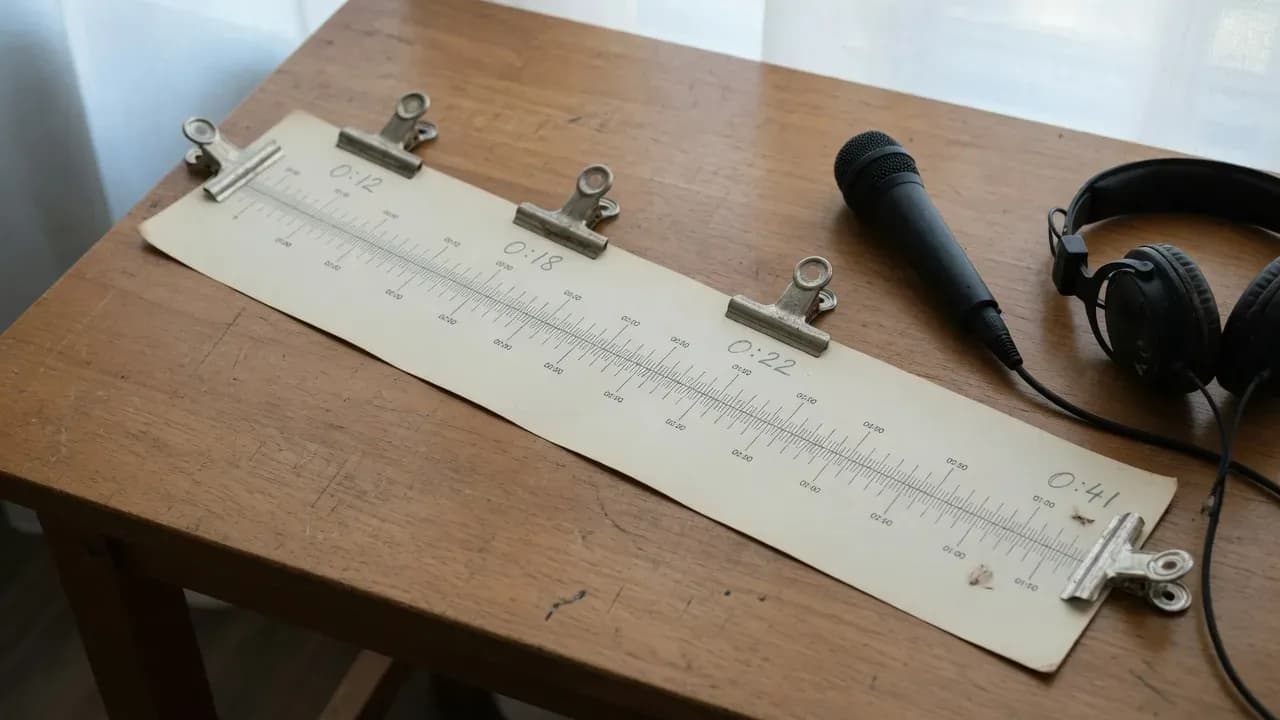
A 6-minute 1080p30 tape is enough for five weekdays if the in-points stand alone with the sound off.
How should you record the product demo source tape?
Record in Cap Desktop Studio Mode and export MP4 at 1080p30.
Cap's Studio export table lists 720p, 1080p, or 4K at 15, 30, or 60 FPS. Instant Mode uploads while you talk. That is the wrong path if you still need four trims and a still.
We used Studio on 17 August 2026, screen plus mic, no camera bubble. A bubble eats the corner you later need for a 9:16 crop. The .cap project stayed local until we chose a file export. Click-generated zooms only exist when Cap recorded the cursor; we left them off so the 0:12 cut did not punch in on a random click.
Recorder shopping belongs on the best AI UGC video tools hub; this section is the setting we actually hit.
Cap Desktop → Studio → display + microphone → Record
Stop → editor (trim later) → Export
Format: MP4
Resolution: 1080p
Frame rate: 30 FPS
Destination: local file- Mark four standalone moments before you open the blade: payoff, mistake, one step, longer proof.
- Our marks landed at 0:12, 0:18, 0:22, and 0:41.
- Mute each mark. If the picture needs the voiceover, pick a different in-point.
- Keep the 6-minute master. Do not overwrite it with a clip.
Loom's desktop app also targets 30fps and downloads as MP4. Tella's export picker exposes HD or 4K at 30 or 60 FPS. Either works as a fallback. Cap is what we ran.
Day 1: cut the 12-second clip
The 0:12 cut has to make sense with the sound off.
Wistia's 8 January 2026 repurposing note is right about the first frames: platforms count a view after a couple of seconds, and most phones play muted. Our 0:12 open was the publish confirmation on the draft we walked through (title, slug, cover, status: draft). No logo sting. No "hey team."
Wyzowl 2026 says 71% of marketers think 30 seconds to 2 minutes is the effective band. Believe that for the 0:41 spare. Day 1 is a stopper, not a mini-webinar. X's free upload cap is 140 seconds, so every clip we cut fits; the 6-minute master does not.
Point the caption at the page the demo is about. If that page is a one-pager, the AI website builders write-up is the place to pick the canvas. Do not bury a YouTube link in a native LinkedIn upload. LinkedIn will play the file. The link can wait for the comments.
Write the caption after the mute test, not before. Ours was two lines: what changed on screen, then the URL. No "excited to share." No emoji stack.
- Set the in-point on the first readable UI change, not on your face.
- Cut out the moment you say "so basically."
- Export the slice as MP4, 1080p30, 16:9, same as the master.
- Watch it muted on a phone before it goes in the queue.
Product demo clips for LinkedIn die when the first three seconds are a desktop wallpaper.
Why export a 1200×1500 still on Day 2?
A 4:5 still fills the mobile feed without looking like a paused video.
We pulled one frame from the 0:18 cut: the settings row we would have mistyped if we had rushed. 1200×1500 is the same 4:5 ratio Instagram uses for portrait feed images. It is not a LinkedIn carousel. LinkedIn's own ads spec lists carousels at 1080×1080; practitioner write-ups add 1080×1350 for portrait PDFs. We posted a single PNG.
| Asset | Pixels | Ratio | Use |
|---|---|---|---|
| Our still | 1200×1500 | 4:5 | Day 2 feed image |
| Instagram portrait | 1080×1350 | 4:5 | same shape, smaller canvas |
| LinkedIn carousel | 1080×1080 | 1:1 | PDF swipe deck, not this post |
| Link preview | 1200×627 | 1.91:1 | only if you are attaching a URL |
ffmpeg -ss 00:00:09 -i clip-018.mp4 -frames:v 1 \
  -vf "scale=1200:1500:force_original_aspect_ratio=increase,crop=1200:1500" \
  still-1200x1500.png
-ss 00:00:09 is nine seconds into the 0:18 file, not into the 6-minute master. Scale-then-crop keeps the UI readable. A raw screenshot from a 16:9 desktop leaves letterbox bars in a 4:5 slot.
Skip Day 2 if the only interesting frame is a wall of text. A still has to carry one claim at phone size. Ours was a single settings row, 24px equivalent after the crop, readable on an iPhone SE width. If you have to pinch, it is not a still. It is a document.
Day 3: write the 8-tweet thread
Post the thread native on X; Buffer Free includes one threaded post.
Buffer's pricing table (retrieved 17 August 2026) is blunt: Free gets 10 scheduled posts per channel, 3 channels, and 1 threaded post. An 8-tweet thread would spend that only slot on a single morning. Queue Days 1, 2, and 5. Type Day 3 on x.com. Thursday is the newsletter, not a Buffer row.
Each tweet is one fact from the tape. No "thread" opener. No fake view counts. Stay under 250 characters so a retweet still shows the whole line. We wrote the eight posts in a text file first, then pasted them in order so a draft did not go live as tweet 1 alone.
1/ We cut one 6-minute product demo into a week of posts.
   Clip lengths: 0:12, 0:18, 0:22, 0:41. No second recording.

2/ Recorder: Cap Desktop, Studio Mode. Export was MP4 at 1080p30.
   Instant Mode would have uploaded before the trims existed.

3/ Day 1 is the 12-second clip. Mute it. If it needs a voiceover
   to make sense, it is not Day 1.

4/ Day 2 is a 1200x1500 still from the 0:18 cut. Portrait 4:5.
   One frame, one claim. Not a carousel PDF.

5/ Day 3 is this thread. Buffer Free queues 10 posts per channel
   and only one thread. So the thread goes native.

6/ Day 4 is 180 words in the newsletter. Hook, clip, still, form.
   The tool ranking for lists lives in a different post.

7/ Day 5 is the 0:22 vertical short. Cap canvas set to Vertical
   (9:16). Same pixels, new crop.

8/ Spare cut is 0:41. After Day 1 publishes, Buffer Free frees a
   slot. That is the refill, not a sixth format.
Buffer Free will queue the week. It will not queue an 8-tweet thread: that plan includes one threaded post.
What belongs in the Day 4 newsletter blurb?
180 words: one hook, one clip, one still, one form CTA.
Paste it into whatever list you already run. Comparison of Kit, Ghost, beehiiv, and the rest sits on best newsletter platforms. This section is the blurb, not the vendor matrix.
The CTA is a form, not "reply for details." If you still need a form tool, use the AI form builders ranking and then come back. Keep the letter at 180 words so it is a note, not a reprint of the 6-minute script.
Count the words in the composer. Ours landed at 178 before the signature, 180 with the last sentence. A 400-word "recap" is a blog post wearing an email header, and it will sit unopened next to the 0:12 clip you already shipped.
Subject: One 6-minute demo, five weekdays

We recorded a 6-minute product demo on 17 August 2026 in Cap
Desktop Studio Mode and exported it as MP4 at 1080p30. That
file is the only new footage this week.

Monday is a 12-second native clip of the publish confirmation.
Tuesday is a 1200x1500 still pulled from the 18-second cut, the
settings row that is easy to mistype. Wednesday is an 8-tweet
thread with the clip lengths and the Buffer Free constraint
(10 posts per channel, one threaded post). Thursday is this
note. Friday is a 22-second 9:16 short of the same step, recropped.

The spare 41-second cut waits in the queue. After Monday
publishes, a Buffer slot frees and the longer take can go out
without another recording session.

If you want the draft-publish checklist we walked through,
the form on the site is the next click. No new video. Same
tape.- Hook names the date and the 6-minute file.
- Body lists the five outputs in calendar order.
- One constraint (Buffer's single thread) earns the Wednesday line.
- Close on a form, not a sales paragraph.
Day 5: publish the short and queue the week
Export the 0:22 cut at 9:16, then drop the week into Buffer Free.
Cap Studio can reframe the same project: Auto, Wide 16:9, Vertical 9:16, Square 1:1. We switched the canvas to Vertical, cropped around the UI, and exported MP4, 1080p, 30 FPS again. That is how you repurpose a screen recording into Reels without a second take. Safe-zone text stays out of the right-hand buttons; Wistia still has the overlay diagrams if you need a picture.
A 5-day calendar is 5 posts. Buffer Free holds 10 per channel. Thursday never enters Buffer: the newsletter lives in the ESP. Scheduler shopping, including Postiz (cloud has no free tier; self-host has no plan cap per their quickstart), belongs on best AI social media schedulers.
Connect two channels, not three, if you only ship LinkedIn and X. The third Free channel is a trap if you attach Instagram and then cannot schedule the 9:16 file because the account wants a native share sheet. We kept the short on LinkedIn and X only.
Channel: LinkedIn (Buffer Free slot 1 of 10)
  Mon 09:30  Day1-012.mp4          16:9  1080p30
  Tue 09:30  still-1200x1500.png   4:5
  Thu 08:00  (skip: newsletter is the ESP, not Buffer)
  Fri 09:30  Day5-022-9x16.mp4     9:16  1080p30
  later      Day1-spare-041.mp4    16:9  after Mon frees a slot

Channel: X (Buffer Free slot 1 of 10)
  Mon 09:45  Day1-012.mp4
  Wed        8-tweet thread        NATIVE, not Buffer
  Fri 09:45  Day5-022-9x16.mp4

Do not queue the 6:00 master. Free X rejects it at 140 seconds.
Time was the excuse for 19% of marketers who still skip video in the 2026 Wyzowl set. The week above is one Studio session and one Buffer sitting. Film less. Cut on purpose.
Frequently Asked Questions
Can I record the demo in Loom instead of Cap?
Yes. Loom's desktop recorder targets 30fps and up to 4K, and downloads are MP4, per Atlassian's encoding page. The Chrome extension tops out at 1080p. Use those files the same way: four standalone cuts, one 4:5 still, one native thread. Cap Studio is what we exported from on 17 August 2026, not a rule of the format.
Does Buffer Free cover a 5-day calendar?
Yes, with one exception. Free allows 10 scheduled posts per channel and 3 channels, which is enough for the clip, the still, the short, and the 0:41 refill. It includes only one threaded post, so the 8-tweet thread goes native on X. Paid Buffer starts at $5 per channel per month on yearly billing.
How long should a social product demo clip be?
Ours were 12, 18, 22, and 41 seconds. The 12-second piece is the feed stopper. The 41-second piece sits in the 30-second to 2-minute band that 71% of Wyzowl's 2026 respondents called effective. A 2–3 minute intro demo is a sales-page asset, not a social post.
Should I post the full 6-minute demo on X?
Not on a free account. X limits non-Premium uploads to 140 seconds. Keep the 6-minute master on the landing page or in the newsletter, and ship the 0:12 and 0:22 cuts on X. Premium raises the cap; the calendar above does not need that upgrade.
Can I schedule an 8-tweet thread on Buffer Free?
Not as eight connected posts. Free includes one threaded post. Type the eight tweets on X, or spend the single Buffer thread slot and lose it for the rest of the queue. We typed it native and left Buffer for the four non-thread items.