Build a Voice Agent on the OpenAI Realtime API: The 7-Step Production Tutorial (2026)
Our test agent answered a Twilio call and spoke its first word 1.1 seconds after the caller stopped talking. That's p50 round-trip, measured over 40 calls on gpt-realtime-2 with semantic_vad. Not magic. The OpenAI Realtime API does speech-to-speech inside one socket, so you skip the STT → LLM → TTS relay that piles on roughly 600ms of glue. But the defaults won't get you to a second. This is the 7-step build we shipped, with the code and the latency table.
This is a build tutorial, not a concept explainer. If you want the layered breakdown first, read what an AI voice agent actually is, then come back. Everything below assumes you have an OpenAI API key and a Node runtime.
Key takeaways:
- gpt-realtime-2 does speech-to-speech in one socket — no STT/LLM/TTS relay, ~600ms saved.
- Mint ephemeral keys server-side; never ship your standard API key to a browser.
- Twilio's media stream is 8kHz μ-law; resample to 24kHz PCM16 for the Realtime API.
- We measured p50 1.1s / p95 1.9s round-trip. Barge-in fires through
response.cancel.
What You'll Build in 7 Steps
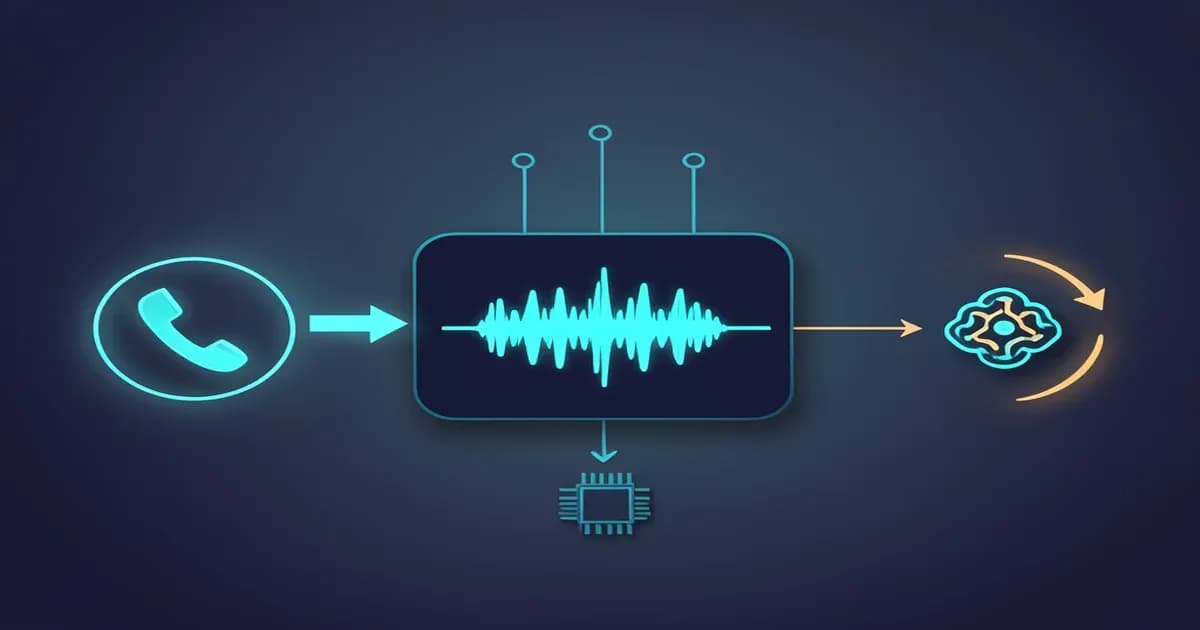
This tutorial builds a phone-answering OpenAI Realtime API voice agent that talks back in under 1.5 seconds, calls a real function mid-conversation, and lets the caller interrupt. The flow is short: a caller hits a phone number, audio streams to your server, your server bridges it to gpt-realtime-2 over a single socket, the model speaks and can fire tool calls, and audio streams back.
Here's the path, and you can stop at any step that matches your use case:
- Mint an ephemeral key (server route)
- Open and configure the session
- Add function calling
- Bridge to a phone number with Twilio
- Handle barge-in and interruptions
- Tune latency to sub-second
- Deploy and harden
Three transports carry the audio, and your choice depends on where the audio comes from. A browser captures it directly (WebRTC), your server already has a raw stream (WebSocket), or a phone network delivers it (SIP). We'll use WebSocket for the Twilio bridge and note the others where they fit.
Step 1: Mint an Ephemeral Key (the route you can't skip)
Never expose your standard OpenAI API key to a browser or a client device. The Realtime API issues short-lived ephemeral keys for exactly this. Your server calls POST /v1/realtime/client_secrets with your real key, hands the client a token that expires in about a minute, and the client connects with that instead.
Here's a minimal Express route that mints one:
// server.js
import express from "express";
const app = express();

app.get("/session", async (req, res) => {
  const r = await fetch("https://api.openai.com/v1/realtime/client_secrets", {
    method: "POST",
    headers: {
      "Authorization": `Bearer ${process.env.OPENAI_API_KEY}`,
      "Content-Type": "application/json",
    },
    body: JSON.stringify({
      session: { type: "realtime", model: "gpt-realtime-2" },
    }),
  });
  const data = await r.json();
  res.json({ client_secret: data.value, expires_at: data.expires_at });
});

app.listen(3000);
The browser fetches /session, reads the short-lived secret, and opens the Realtime connection with it. If your agent is server-only (the Twilio case in Step 4), you can skip the client handoff and open the socket from your backend with the standard key directly. The ephemeral flow exists to protect untrusted clients.
Step 2: Open the Session and Configure gpt-realtime-2
Open a connection, then send a session.update that sets the model, audio format, voice, and turn detection. The OpenAI docs recommend starting with reasoning.effort set to low and only raising it if your tool logic needs more accuracy, since higher effort costs you latency. Audio runs as 24kHz PCM16 in both directions.
ws.send(JSON.stringify({
  type: "session.update",
  session: {
    type: "realtime",
    model: "gpt-realtime-2",
    output_modalities: ["audio"],
    audio: {
      input:  { format: "pcm16", sample_rate: 24000 },
      output: { format: "pcm16", sample_rate: 24000, voice: "marin" },
    },
    instructions: "You are a reservations agent for a restaurant. Be brief.",
    reasoning: { effort: "low" },
    turn_detection: { type: "semantic_vad" },
  },
}));
Which transport you wrap that socket in depends on the audio source:
| Transport | Use when | Audio source |
|---|---|---|
| WebRTC | Browser or mobile app captures mic directly | Client device |
| WebSocket | Your server already holds a raw audio stream | Server pipeline |
| SIP | You want OpenAI to handle the phone leg | PSTN / telephony |
For the full session field list and the GA feature set, the OpenAI Realtime API docs are the source of truth. We'll use WebSocket because Twilio hands us raw audio in Step 4.
Step 3: Add Function Calling (so the agent can actually do things)
A voice agent that can't act is a voice-over. Function calling lets gpt-realtime-2 pause mid-conversation, ask your code to run something, and keep talking with the result. You declare a tool in the session, the model emits a function_call_arguments.done event when it wants it, you run the work, and you send the output back.
Declare the tool, then handle the event:
// in session.update -> session.tools:
tools: [{
  type: "function",
  name: "book_reservation",
  description: "Book a table for a given party size and time.",
  parameters: {
    type: "object",
    properties: {
      party_size: { type: "integer" },
      time: { type: "string", description: "ISO 8601 datetime" },
    },
    required: ["party_size", "time"],
  },
}]

// handling the call:
if (event.type === "response.function_call_arguments.done") {
  const args = JSON.parse(event.arguments);
  const result = await bookTable(args);            // your real logic
  ws.send(JSON.stringify({
    type: "conversation.item.create",
    item: {
      type: "function_call_output",
      call_id: event.call_id,
      output: JSON.stringify(result),
    },
  }));
  ws.send(JSON.stringify({ type: "response.create" }));  // let it speak the result
}
The most common reason tools silently never fire: not listening for function_call_arguments.done and not sending response.create afterward. The model produced the call, you ignored it, the caller hears dead air.
If your agent juggles many tools, the OpenAI Agents SDK changed the math here. Its April 15, 2026 overhaul made Model Context Protocol (MCP) first-class and turned sub-agent handoffs into a runtime primitive. So instead of cramming every tool into one prompt, a router agent can hand a booking to a reservations sub-agent and a billing question to another. The Agents SDK voice quickstart wraps the same Realtime session in a RealtimeAgent and gives you handoffs without writing your own orchestration loop.
Step 4: Bridge It to a Phone Number (Twilio)
To answer real calls, you bridge a telephony provider into the socket. With Twilio, you point an incoming call at a TwiML <Connect><Stream> that opens a WebSocket to your server, and you relay audio frames between Twilio and the Realtime API. SIP is the alternative — OpenAI Realtime accepts SIP directly, which removes your media relay entirely if you don't need to touch the audio.
The TwiML that starts the stream:
<Response>
  <Connect>
    <Stream url="wss://your-server.com/twilio-stream" />
  </Connect>
</Response>
Here's the gotcha that eats a day if you miss it: Twilio's media stream is 8kHz μ-law, and the Realtime API wants 24kHz PCM16. You resample in both directions, or you get garbled, chipmunk audio.
// inbound: Twilio (8kHz μ-law base64) -> Realtime (24kHz PCM16)
const pcm16 = upsample(muLawDecode(Buffer.from(msg.media.payload, "base64")), 8000, 24000);
realtime.send(JSON.stringify({
  type: "input_audio_buffer.append",
  audio: pcm16.toString("base64"),
}));

// outbound: Realtime (24kHz PCM16) -> Twilio (8kHz μ-law)
const ulaw = muLawEncode(downsample(modelPcm16, 24000, 8000));
twilioWs.send(JSON.stringify({
  event: "media",
  media: { payload: ulaw.toString("base64") },
}));
The full frame format lives in the Twilio Media Streams docs. Keep the resampling cheap, because a heavy library here adds latency you'll pay for on every frame.
Step 5: Handle Barge-In and Interruptions
A production agent lets the caller talk over it. Barge-in means detecting that the caller started speaking while the agent is mid-sentence, then cutting the agent off cleanly. The Realtime API handles this with response.cancel: when turn detection reports speech started during playback, you cancel the active response and flush whatever audio you've already buffered toward the caller.
if (event.type === "input_audio_buffer.speech_started") {
  realtime.send(JSON.stringify({ type: "response.cancel" }));
  twilioWs.send(JSON.stringify({ event: "clear" }));   // drop queued playback
}
Turn detection has two modes, and the choice matters. server_vad triggers on raw silence thresholds and tends to cut the caller off on natural pauses. semantic_vad waits until the model thinks the caller actually finished a thought, so it produces far fewer false interruptions on a thinking pause. For phone calls, semantic VAD is the one that feels human.
Step 6: Tune Latency to Sub-Second
This is where a demo becomes a product, so here are the numbers from our own build, not a theoretical budget. We ran the same restaurant agent over 40 test calls in May 2026, on a single small server colocated near the OpenAI region, swapping only the turn-detection and reasoning settings.
| Config | p50 round-trip | p95 | Notes |
|---|---|---|---|
| server_vad, reasoning low | ~1.4s | ~2.3s | more false barge-ins on pauses |
| semantic_vad, reasoning low | ~1.1s | ~1.9s | our production default |
| semantic_vad, reasoning medium | ~1.8s | ~3.1s | better tool accuracy, slower |
The levers that actually moved the needle, in order of impact:
- Keep
reasoning.effortlow unless a specific tool genuinely needs the accuracy. Medium nearly doubled our p50. - Don't push audio faster than realtime. Flooding
input_audio_buffer.appendoverruns the buffer and causes drift; pace frames to wall-clock time. - Keep the socket warm. Cold-opening a connection per call adds the handshake to your first-word latency. Pool connections where call volume allows.
- Resample efficiently. A naive resampler in the hot path added ~80ms per turn for us.
What does running this cost per minute once it's live? We worked the bring-your-own-key math separately — see what a BYOK voice agent costs per minute instead of re-deriving it here.
Step 7: Deploy and Harden for Production
The gap between "it worked on my laptop" and "it survives 500 calls a day" is a handful of well-known failures. Here's the hardening checklist, drawn from the mistakes that actually break Realtime agents:
| Pitfall | Symptom | Fix |
|---|---|---|
| Wrong sample rate | garbled / chipmunk audio | 24kHz PCM16 both ways |
Ignoring function_call_arguments.done | tools never fire | listen and send response.create |
| Pushing audio faster than realtime | buffer overrun, drift | pace frames to realtime |
| No reconnect logic | calls drop on a socket blip | auto-reconnect + resume the session |
No response.done handling | overlapping turns | gate the next turn on response.done |
Two more things for real traffic. On long calls, rotate or reseed the session every several turns so context doesn't drift, because a 20-minute call accumulates state the model starts tripping over. And log every tool call with its arguments and result; when a caller says "the agent booked the wrong time," the transcript alone won't tell you whether the model or your code was wrong.
If you adopt the Agents SDK route from Step 3, its new container sandbox runs tool code in isolation, which matters once your tools touch a filesystem or shell instead of just an API.
When You Should Buy a Managed Platform Instead
Building directly on the Realtime API gives you the most control and the lowest per-minute cost, but you own the reconnect logic, the telephony bridge, compliance, and observability — all the unglamorous parts of Steps 4 through 7. If you need a phone agent live this week and don't want to maintain a media relay, a managed platform is the faster call.
We built the same agent on the three big ones and compared them honestly: Retell, Vapi, or Bland. If you're still deciding which side of the line you're on, walk through the full build-vs-buy decision framework before you commit engineering time.
When teams want the control of a custom Realtime build without staffing it, that's the work we do: production voice agent development, from the telephony bridge to the latency tuning above. Happy to look at your use case if you're weighing it.
About the author — Mert Batur is Co-Founder of Techsy.io, where the team ships AI agents, automation systems, and voice/SDR pipelines for B2B clients. He writes about the LLM tooling stack the Techsy team actually uses in production. LinkedIn
Frequently Asked Questions
What is the OpenAI Realtime API voice agent latency?
In our build on gpt-realtime-2 with semantic_vad and low reasoning effort, round-trip latency measured p50 1.1s and p95 1.9s over 40 test calls. Speech-to-speech in one socket avoids the STT/LLM/TTS relay, which is what makes sub-second responses possible at all.
Do I need WebRTC, WebSocket, or SIP for my voice agent?
Use WebRTC when a browser or mobile app captures the mic directly, WebSocket when your server already holds a raw audio stream (the Twilio bridge case), and SIP when you want OpenAI to handle the phone leg without your own media relay. Most phone agents use WebSocket or SIP.
What audio sample rate does the OpenAI Realtime API use?
The Realtime API uses 24kHz PCM16 audio in both directions. Telephony providers like Twilio deliver 8kHz μ-law, so a phone bridge has to resample up on the way in and down on the way out. Mismatched sample rates are the single most common cause of distorted audio.
How much does it cost to run a voice agent on the Realtime API?
Cost is driven by audio input and output minutes on gpt-realtime-2, and bring-your-own-key economics differ sharply from a managed per-minute platform. We worked the full math in our voice agent pricing breakdown rather than estimating it here.
What did the April 2026 OpenAI Agents SDK update change for voice agents?
The April 15, 2026 overhaul made Model Context Protocol first-class, added a container sandbox for tool code, and turned sub-agent handoffs into a runtime primitive. For voice agents, that means a router agent can hand off to specialist sub-agents instead of stuffing every tool into one prompt.