11 Best MCP Servers for Claude Code (2026): Every Install Command Verified
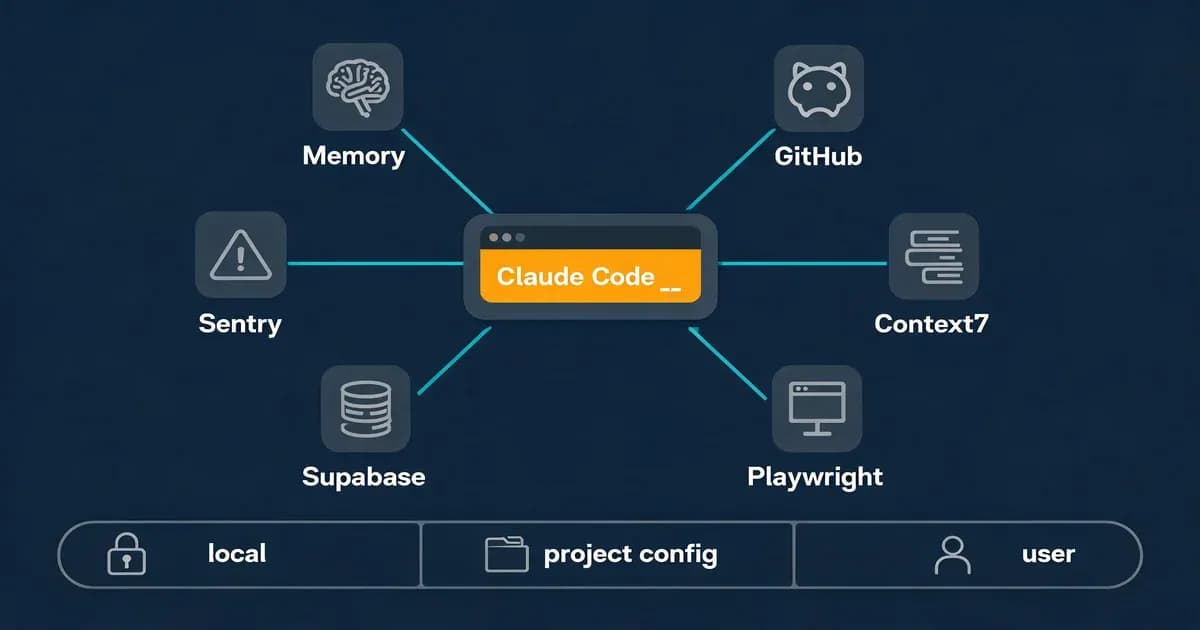
If you're setting up MCP servers for Claude Code and want a shortlist that won't wreck your context window, install three first: Context7, the GitHub MCP, and Playwright. That's a recommendation, not our personal inventory. Our own content pipeline runs 7 MCP servers exposing 88 tools, and back before Tool Search shipped, four servers could burn roughly 67,000 tokens before you typed a word. Below is every server ranked by Claude Code fit, with each install command checked against the official repo or docs on July 11, 2026.
The three best MCP servers for Claude Code to install first are Context7 (live library docs that stop Claude from hallucinating APIs), the official GitHub MCP (repo, PR, and CI operations), and Playwright (so Claude verifies changes in a real browser instead of guessing). Add the rest by job, not by default.
Here's the full ranked shortlist:
- Context7: live, version-correct library documentation
- GitHub MCP: repos, issues, pull requests, CI
- Playwright: browser automation and real-page verification
- Sequential Thinking: structured multi-step reasoning
- Filesystem: scoped file read/write
- Supabase: SQL, schema, edge functions, branches
- Sentry: error triage inside the editor
- Exa: live web search built for coding agents
- Memory: knowledge-graph persistent memory
- Serena: LSP-powered semantic code retrieval and editing
- Sanity: headless CMS content operations
The Starter Pack: 3 MCP Servers for Claude Code to Install First
Start with Context7 at user scope (you want live docs in every project), the GitHub MCP as a remote server, and Playwright at project scope so only repos that need a browser load it. These three cover documentation, version control, and verification: the jobs almost every coding session touches. Everything else is situational.
Run these three lines and Claude Code registers all of them:
claude mcp add context7 -- npx -y @upstash/context7-mcp
claude mcp add --transport http github https://api.githubcopilot.com/mcp/ --header "Authorization: Bearer YOUR_GITHUB_PAT"
claude mcp add playwright -- npx @playwright/mcp@latest
Swap YOUR_GITHUB_PAT for a GitHub personal access token scoped to the repos you want Claude to touch. Pro tip: keep Context7 at user scope so it follows you into every project, but pin Playwright to project scope so a repo that never opens a browser doesn't pay for it.
How Do You Install an MCP Server in Claude Code?
You install an MCP server with claude mcp add <name>. For local servers, put the launch command after a -- separator; for hosted servers, pass --transport http (or sse) and the URL. Add --scope to control who sees it and --header for auth tokens. That's the entire grammar, and the Anthropic Claude Code MCP docs cover every flag.
Two shapes cover almost everything. A local (stdio) server runs a process on your machine, usually through npx or uvx:
claude mcp add my-server -- npx -y some-mcp-packageA remote server is hosted by a vendor and reached over HTTP or SSE, often with OAuth or a token header:
claude mcp add --transport http my-server https://example.com/mcp --header "Authorization: Bearer TOKEN"The one thing that trips people up is that -- separator. Everything after it is the server's own launch command, not a Claude flag, so npx -y @scope/pkg goes on the far side of the --. Miss it and Claude tries to parse your package name as its own argument and fails. New to the protocol itself? Start with our MCP explainer.
Where Does Claude Code Store MCP Config? Local vs Project vs User Scope
Claude Code stores MCP config in one of three places depending on the --scope flag: local servers land in ~/.claude.json keyed by project path and stay private to you, project servers live in a committed .mcp.json at the repo root and get shared with your team, and user servers sit in ~/.claude.json and follow you across every project. Scope decides who sees a server, not just where it's written.
| Scope | Where it's stored | Who sees it | Best for |
|---|---|---|---|
| local (default) | ~/.claude.json, keyed by project path | Only you, in that one project | Personal experiments |
| project | .mcp.json at the repo root, committed to git | Your whole team, after each person approves | Shared team servers |
| user | ~/.claude.json | Only you, across all your projects | Your personal defaults |
Project scope is the one nobody sets up. You commit a .mcp.json like this to the repo root:
{
  "mcpServers": {
    "playwright": {
      "command": "npx",
      "args": ["@playwright/mcp@latest"]
    }
  }
}
A teammate pulls the repo, runs claude, and gets prompted to approve the pending servers before any of them run. The .mcp.json you commit to your repo is the closest thing Claude Code has to a shared team config, and almost nobody sets it up. If you want these servers firing inside a repeatable process, see how we wire MCP tools into workflows.
The 11 Best MCP Servers for Claude Code, Ranked by Fit
These are ranked by Claude Code fit, meaning usefulness weighed against context footprint, maintenance status, and how cleanly they scope. The table is the quick scan; the notes under it give the Claude-Code-specific reason each server earns its spot.
| Rank | Server | Transport | Best scope | Official? | Claude Code verdict |
|---|---|---|---|---|---|
| 1 | Context7 | stdio or remote | user | Community | Install first; highest signal per token |
| 2 | GitHub MCP | remote HTTP | project or user | Official | Essential for repos; heaviest context footprint |
| 3 | Playwright | stdio | project | Official | Real-browser verification, not guesses |
| 4 | Sequential Thinking | stdio | user | Anthropic reference | Handy, but native reasoning closed the gap |
| 5 | Filesystem | stdio | project | Anthropic reference | Often redundant with built-in file tools |
| 6 | Supabase | remote HTTP | project | Official connector | SQL and schema ops over OAuth |
| 7 | Sentry | remote HTTP | user | Official remote | Error triage without leaving the editor |
| 8 | Exa | remote or stdio | user | Community | Best live web search for coding agents |
| 9 | Memory | stdio | user | Anthropic reference | The memory server people keep asking for |
| 10 | Serena | stdio (serena CLI) | project | Community | Semantic code editing across 20+ languages |
| 11 | Sanity | remote HTTP | project | Official remote | CMS ops; use the remote server only |
Starter Pack (1-3)
1. Context7 (Upstash)
Context7 pulls live, version-correct docs for whatever library you're using, so Claude stops inventing method names that never existed. It's the near-universal "install this first" pick on r/ClaudeAI because it earns more context per token than almost anything else. Free, community-maintained, and available as stdio or remote. Repo: upstash/context7.
claude mcp add context7 -- npx -y @upstash/context7-mcp2. GitHub MCP
The official GitHub MCP handles repos, issues, pull requests, and CI runs. It's essential if you live in PRs, but it's also the heaviest server on this list: before Tool Search, its tool schemas alone ate close to a quarter of Sonnet's window. Free with a personal access token, and the poster child for why the next section matters.
claude mcp add --transport http github https://api.githubcopilot.com/mcp/ --header "Authorization: Bearer YOUR_GITHUB_PAT"3. Playwright
Microsoft's Playwright MCP lets Claude drive a real browser to check that a change actually renders, instead of guessing from the diff. Pin it to project scope so only front-end repos load it. Free, stdio, and the fastest way to close the "it compiles but does it work" gap.
claude mcp add playwright -- npx @playwright/mcp@latestHigh-Use Adds (4-9)
4. Sequential Thinking
An Anthropic reference server (still active) that gives Claude a structured scratchpad for multi-step reasoning. Honest take: native reasoning improved enough in 2026 that a lot of people now skip it. Try a hard task with and without it before committing the schema cost. Free, stdio, user scope.
claude mcp add sequential-thinking -- npx -y @modelcontextprotocol/server-sequential-thinking5. Filesystem
Another active Anthropic reference server for scoped file operations. The catch: Claude Code already has strong built-in file tools, so this is often redundant unless you want to expose a directory outside the working repo. Pass the allowed path as the last argument. Free, stdio.
claude mcp add filesystem -- npx -y @modelcontextprotocol/server-filesystem ~/your-project6. Supabase
Supabase is now an official Claude connector covering SQL, schema, edge functions, and branch operations. It's remote, so you authenticate with /mcp rather than a token header. Great when your app's data lives in Postgres and you want Claude querying it directly. Free tier plus paid.
claude mcp add --transport http supabase <your-project-url>
# then run /mcp inside Claude Code to authorize via OAuth
7. Sentry
The official remote Sentry server pulls error and performance data into the editor so Claude can triage a stack trace against the code that threw it. Remote HTTP, OAuth through /mcp, free tier plus paid.
claude mcp add --transport http sentry https://mcp.sentry.dev/mcp
# then run /mcp to authorize
8. Exa
Exa is the most-cited web search server for coding agents in 2026, giving Claude fresh context from the live web instead of a stale training cutoff. The official Exa docs list the remote endpoint below; a paid API key unlocks the higher tiers.
claude mcp add --transport http exa https://mcp.exa.ai/mcp9. Memory
The active Anthropic Memory reference server is a knowledge graph that persists facts across sessions, which directly answers the "best memory MCP server for Claude Code" question. Free, stdio, user scope so it remembers you everywhere.
claude mcp add memory -- npx -y @modelcontextprotocol/server-memorySpecialist / On-Demand (10-11)
10. Serena
Serena (by oraios) adds LSP-powered semantic code retrieval and editing across 20+ languages, so Claude works at the symbol level, not by grepping text. Important gotcha: the maintainer's README explicitly says do not install it via any MCP or plugin marketplace, because those carry stale commands. Even most blog roundups still show an old uvx --from git+… one-liner that the docs have since retired. The current official path (verified against the Serena docs) is a proper install, then a one-command Claude Code setup. Free.
uv tool install -p 3.13 serena-agent
serena init
serena setup claude-code
11. Sanity
Sanity handles headless-CMS content operations. One freshness warning: the local @sanity/mcp-server npm package is deprecated and its repo is archived, so use the remote server at https://mcp.sanity.io instead (the Sanity docs confirm the switch). Free tier plus paid.
claude mcp add Sanity -t http https://mcp.sanity.io --scope user
# then run /mcp to authorize
Want a full single-server walkthrough? Here's Higgsfield MCP end to end. Using Cursor or Codex too? Here's the cross-editor version.
Can You Run More Than 3-6 Servers Now? MCP Tool Search Explained
Yes. Since January 14, 2026, MCP Tool Search is default-on in Claude Code, and it cuts MCP context by roughly 85-95%. The old "only run three to six servers" rule is a pre-2026 artifact. When a server's tool descriptions cross about 10,000 tokens, Claude Code marks its tools defer_loading: true and hands Claude a search tool instead of every schema, loading only the three-to-five tools a query actually needs.
Practitioners have measured the drop repeatedly (attribute these to their authors, not us):
| Reported by | Before Tool Search | After | Reduction |
|---|---|---|---|
| Joe Njenga | ~51K tokens | ~8.5K | ~83% |
| 50+ tool setup | ~77K tokens | ~8.7K | ~89% |
| Community test | ~12K tokens | ~600 | ~95% |
The "only run three or four servers" rule you keep reading is a pre-2026 artifact; Tool Search quietly killed it. Force a tool to stay hot with alwaysLoad per server, or turn it off entirely with ENABLE_TOOL_SEARCH=false for the old behavior. Anthropic's advanced tool use writeup documents the mechanism. The r/ClaudeAI complaint that defined early 2026, four servers preloading ~67K tokens before a single message, now has a default-on fix; the community's own Reddit roundup captures the raw sentiment. Our Claude Code hooks guide covers how this plays with automation.
Are MCP Servers Safe in Claude Code?
MCP servers are reasonably safe if you respect two guardrails: the project-server approval flow and the /mcp panel. A committed .mcp.json never runs silently on a teammate's machine; its servers show up as ⏸ Pending approval until each person explicitly approves them. That approval gate is Claude Code's main MCP safety valve.
The /mcp slash command is your control room. It lists every configured server with its live tool count, authenticates OAuth 2.0 remote servers, and approves those pending project servers. Watch credential scope too: remote servers use OAuth or scoped tokens, but a sloppy local server can read anything its process can, so pass the narrowest filesystem path and PAT scope that still works.
One more thing the r/ClaudeAI crowd is right about: for trivial one-off git operations, the gh CLI through Bash is often cheaper and simpler than loading a whole GitHub server. Reach for the server only when you actually live in PRs and issues.
Remote vs Local MCP Servers: Which Should You Pick?
Pick remote servers for hosted SaaS and local servers for things that live on your machine. Remote servers (HTTP or SSE) are vendor-hosted, authenticate over OAuth, and stay current without you touching anything, which is ideal for GitHub, Supabase, Sentry, and Sanity. Local servers (stdio, run via npx or uvx) execute on your machine with no network hop, which suits filesystem, browser, and code tools.
| Factor | Local (stdio) | Remote (HTTP / SSE) |
|---|---|---|
| Runs where | Your machine, via npx or uvx | Vendor-hosted |
| Auth | Usually none or an env var | OAuth 2.0 through /mcp |
| Best for | Filesystem, browser, code tools | Hosted SaaS services |
| Staying current | You re-pull the package | Always up to date |
If a tool wraps a hosted API you already pay for, go remote. If it touches your local files or drives a browser on your box, go local.
What We Actually Run at Techsy
Here's our real setup, counted from the Claude Code session that runs our content pipeline: 7 MCP servers exposing 88 tools. The heaviest is the remote Sanity server at 34 tools, and every one of our ~190 live posts publishes through it (GROQ queries, document patching, the publish itself). We started on the local Sanity npm package; when Sanity deprecated it, we switched to the remote server, which is exactly why we tell you to go remote-first for SaaS.
The rest: Playwright (24 tools) verifies that published pages render and does browser research when scraping fails; a community Scrapling server (10 tools) handles stealth fetching for competitor research; a GA4 analytics server (8 tools) that, honest confession, broke months ago and we still haven't fixed, so we fall back to browser checks (MCP servers rot like any dependency); our CRM connector (7 meta-tools); LottieFiles (3 tools) from one animation project we kept; and IDE integration (2 tools).
Two deliberate omissions. We run no GitHub MCP, because the gh CLI through Bash is cheaper for our workflow and does everything we need. And we skip Context7 too, because our pipeline writes prose, not library code, so live-docs lookup earns less for us than it would for app developers. With 88 tools across 7 servers, up-front schema injection would be untenable; deferred tool loading is the only reason this setup stays viable at all.
Skip These: Archived Anthropic Reference Servers
Anthropic keeps only 7 active reference servers: Everything, Fetch, Filesystem, Git, Memory, Sequential Thinking, and Time. Around 13 others are archived, including GitHub, GitLab, Slack, Google Drive, Postgres, Sentry, SQLite, Puppeteer, EverArt, Redis, and Brave Search. The maintained versions moved to vendor organizations, so the reference copies are frozen code you shouldn't install.
The archived Anthropic Postgres server still gets ~312,000 installs a month. Don't be one of them; it's a museum piece. Here's what to run instead:
- GitHub (archived reference) → the official remote GitHub MCP, entry #2 above
- Postgres (archived reference) → a maintained community Postgres MCP, or Supabase MCP
- Sentry (archived reference) → the official remote Sentry server, entry #7 above
- Slack, GitLab, Google Drive (archived) → each vendor's own maintained MCP
In short: if the only copy you can find lives under modelcontextprotocol/servers-archived, that's your signal to look for the vendor-maintained version. We covered the full archive list in our cross-editor ranking if you want the longer history. Want to build your own instead? Here's how to build an MCP server.
Frequently Asked Questions
What are the best MCP servers for Claude Code?
For most developers, install Context7, the official GitHub MCP, and Playwright first. They cover live documentation, version control, and real-browser verification, which is what almost every coding session needs. From there, add Supabase, Sentry, Exa, or Memory based on your actual stack rather than installing everything at once.
How do I add an MCP server in Claude Code?
Use claude mcp add <name>. For a local server, put its launch command after a -- separator, like claude mcp add context7 -- npx -y @upstash/context7-mcp. For a hosted server, pass --transport http and the URL, plus --header for a token or /mcp for OAuth. Add --scope to control visibility.
Where is the Claude Code MCP config file?
It depends on scope. Local and user servers are written to ~/.claude.json, with local servers keyed by project path and user servers applying everywhere. Project servers live in a .mcp.json file at your repo root, which you commit to version control so your whole team shares the same setup after each person approves it.
Do MCP servers slow down or bloat Claude Code's context?
They used to, badly. Four servers could preload roughly 67,000 tokens before you sent a message. Since January 14, 2026, MCP Tool Search is default-on and cuts that by about 85-95% by loading tool schemas on demand instead of all at once. Context bloat is largely a solved problem now unless you disable the feature.
Are MCP servers safe to use in Claude Code?
Reasonably, if you respect the guardrails. Project servers from a committed .mcp.json stay in ⏸ Pending approval until each teammate approves them, so nothing runs silently. Remote servers authenticate over OAuth through the /mcp panel, and you should scope local server permissions and tokens as narrowly as the task allows.
Remote vs local MCP servers, which should I use?
Use remote servers for hosted SaaS like GitHub, Supabase, Sentry, and Sanity, because they authenticate over OAuth and stay current automatically. Use local (stdio) servers for tools that run on your machine, like filesystem access, Playwright browser automation, or Serena's code tools, where there's no network hop and no hosting to depend on.
What's the best memory MCP server for Claude Code?
The active Anthropic Memory reference server is the go-to. It stores facts in a knowledge graph that persists across sessions, so Claude remembers project context between conversations. Install it at user scope with claude mcp add memory -- npx -y @modelcontextprotocol/server-memory so it follows you across every project you work in.
Are there free MCP servers for Claude Code?
Plenty. Context7, Playwright, and the active Anthropic reference servers (Filesystem, Memory, Sequential Thinking, Git, Fetch, Time) are all free. GitHub MCP is free with a personal access token. Servers like Supabase, Sentry, and Exa offer free tiers plus paid plans, so you can run a capable stack without spending anything.
How many MCP servers should I run at once?
More than the old advice suggests. The "keep it to three or four servers" rule predates MCP Tool Search, which since January 2026 loads tool schemas on demand and cuts context by 85-95%. We run seven servers exposing 88 tools without context problems. Add servers by real need, and let deferred loading handle the token math for you.